
Network Based Application Recognition
NBAR2 classifies applications by deep packet inspection, past the header, so an application on an unpredictable port can still be named. It starts with ip nbar protocol-discovery, or silently when a policy with match protocol is attached. On Catalyst 9000, match protocol is allowed only with marking or policing, never queuing, so recognise and mark at the edge, then queue on the mark. It classifies IPv4 unicast only.
By Arif, founder of Daveth · Updated
The full 8 min walkthrough is in Daveth Pro (Network). See what the plan opens
What this page answers
Can you queue traffic matched by NBAR on a Catalyst switch?
No. NBAR2 match protocol criteria are allowed only with marking or policing actions, not in a policy with queuing features. Mark at the access port, then queue on the DSCP elsewhere. Read it in “What you cannot then do with it”
How do you enable NBAR on an interface?
Explicitly with ip nbar protocol-discovery on the interface, or implicitly by attaching a QoS policy containing a match protocol classifier. Read it in “Turning it on, and naming an application”
Does NBAR classify IPv6 traffic on Catalyst 9000?
No. IPv6 packet classification is not supported; only IPv4 unicast TCP and UDP is, so the same application over IPv6 is never recognised or marked. Read it in “What it cannot see, and where it can run”
The classifier that reads the payload
Every classifier in this domain so far reads header fields: addresses, ports, DSCP, CoS. That works until the application you care about does not sit on a predictable port. What then?
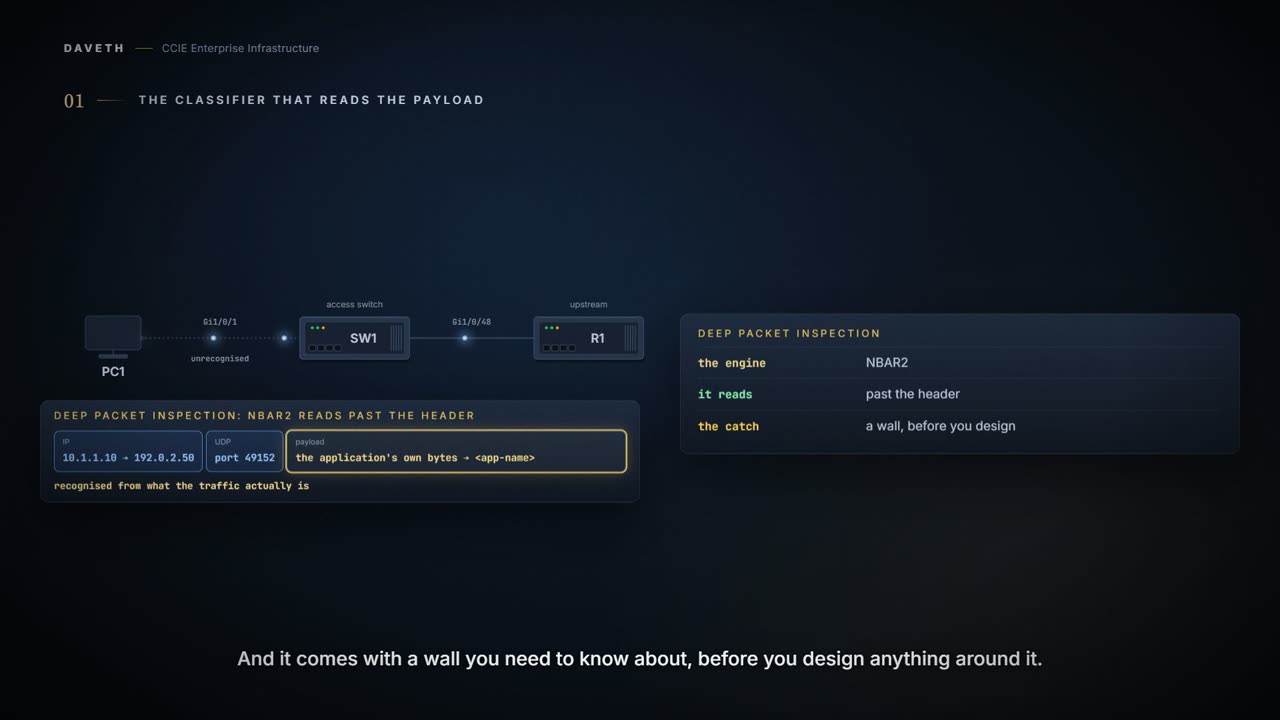
Application Visibility and Control (AVC) classifies applications using deep packet inspection techniques with the Network-Based Application Recognition (NBAR2) engine.
Deep packet inspection: the engine looks past the header at what the traffic actually is. That is a real gain, and it comes with a wall you need to know about before you design anything around it.
Turning it on, and naming an application
NBAR2 can be activated either explicitly on the interface by enabling protocol-discovery or implicitly by attaching a QoS policy that contains match protocol classifier.
Two ways, and the second is worth noticing: NBAR2 can end up running on an interface without anyone typing an NBAR command. Attach a policy containing match protocol and the engine starts. What does the explicit form look like?
SW1(config)# interface gigabitethernet1/0/1
SW1(config-if)# ip nbar protocol-discovery
Enables application recognition on the interface by activating NBAR2 engine.
The guide's class-map example, as printed.
class-map match-any NBAR-VOICE
match protocol ms-lync-audio
That is the whole syntax: match protocol and an application name, inside an ordinary class-map. It looks like every other match criterion you have written.
What you cannot then do with it
You have a class that recognises an application by name. The obvious next step is to give it priority, a queuing action, in the same policy. Will that policy attach? Step 1 of the walk asks it.
NBAR2 based match criteria match protocol will be allowed only with marking or policing actions. NBAR2 match criteria will not be allowed in a policy that has queuing features configured.
Marking or policing only. The one thing most people want QoS for, putting an application in a priority queue, is the one action this classifier cannot be paired with.
Which is a slightly comic outcome if you have just spent an afternoon getting recognition working: the switch can tell you precisely which application a packet belongs to, and will not let you queue it on that basis.
The design the restriction forces
The restriction is not a dead end. It is an instruction about structure. Stage one, at the access port: recognise and mark. Stage two, where queuing belongs: match the mark and queue. What does that look like? This course's configuration, with the guide's own names for stage one:
SW1(config)# class-map match-any NBAR-VOICE
SW1(config-cmap)# match protocol ms-lync-audio
SW1(config)# policy-map MARKING-IN
SW1(config-pmap)# class NBAR-VOICE
SW1(config-pmap-c)# set dscp ef
SW1(config)# interface gigabitethernet1/0/1
SW1(config-if)# service-policy input MARKING-IN
SW1(config)# class-map match-all VOICE
SW1(config-cmap)# match dscp ef
SW1(config)# policy-map QUEUING-OUT
SW1(config-pmap)# class VOICE
SW1(config-pmap-c)# priority level 1
SW1(config)# interface gigabitethernet1/0/48
SW1(config-if)# service-policy output QUEUING-OUT
Two devices, two jobs, and neither is doing the other's. Recognition works out what a flow is and writes that down. Queuing reads what was written and decides who waits. Keeping them apart is not a workaround forced on you by a limitation; it is the same split the whole of this domain is built on.
Sets the strict scheduling priority for this class. level : Establishes a multi-level priority queue. Enter a value (1 or 2).
Look at what that arrangement is: expensive inspection once, at the edge; cheap codepoint matching everywhere else. It is the boundary-and-aggregate model 4.4.a described, arrived at from a hardware restriction rather than an architectural principle. Steps 2 and 3 of the walk.
And one more documented thing about stage one:
There is a delay in the QoS classification since the application classification is done offline (while the initial packet/s of the flow are meanwhile forwarded before the correct QoS classification).
This course's reading, not a quotation: the first packets of every call leave unmarked, so stage two puts them in the default queue. The guide does not say how many; the walk shows them as the first packets and gives no number. For a short flow, that may be most of it.
What it cannot see, and where it can run
IPv6 packet classification is not supported. Only IPv4 unicast(TCP/UDP) is supported.
On a dual-stack network that matters more than any other limit here. Step 4 of the walk: the same call over IPv6 is never recognised, never marked, and never reaches the priority queue. Nothing on the switch reports a problem, because nothing failed.
And the limit that surprises people most is the one nothing can be done about: traffic you cannot read cannot be recognised by reading it. Asking a deep classifier to identify an encrypted flow does not make the payload legible. Where the identity is hidden, recognition has to come from something other than the contents, or not at all.
NBAR based QoS policy configuration is allowed only on wired physical ports. NBAR based QoS policy configuration is supported on Layer 2 access and trunk ports and Layer 3 routed ports. Attachment to trunk ports are not supported.
The same chapter contradicts itself on trunks: one sentence supports NBAR QoS on trunk ports, another says attachment to trunk ports is not supported. This page does not pick one; the lab uses access ports, where both agree.
‘Match Protocol’: up to 255 concurrent different protocols in all policies (8 bits HW limitation). Performance: Each switch member is able to handle 2000 connections per second (CPS) at less than 50% CPU utilization. Scale: Able to handle up to 20,000 bi-directional flows per 48 access ports and 10,000 bi-directional flows per 24 access ports.
Two hundred and fifty-five across all policies, not per policy, and the parenthesis says why: eight bits of hardware per packet is the budget.
Worth being clear about what recognising an application does and does not settle. It adds names the switch can tell apart, which is a real gain. It decides nothing about how any of them should be treated; every one of those decisions is still yours to write, in the second stage, against the marks the first stage left behind.
Continue the lesson
The whole lesson, with its drawings and its questions. 6 more sections after the ones above.