
Cloud GPU infrastructure: spot and on-demand capacity, time to a ready model, Terraform and paying only for work
A spot discount pays only if interruptions cost less than it saves. Each interruption throws away about half the gap between checkpoints plus the time to get a new machine running. The cloud sells the same GPU three ways, on-demand, reserved and spot, and infrastructure as code rebuilds it reliably.
What this page answers
Are spot GPU instances worth it for training?
Add up the interruptions: each one loses on average half the gap between checkpoints plus about 20 minutes to restart. In the lesson's example two a day cost a fifth of the machine time, so 100 hours of work take about 125. Read it in “Sixty percent off, interrupted twice a day”
What is the difference between on-demand, reserved and spot GPUs?
On-demand is full price and nobody takes it away. Reserved is a discount for promising to pay for one or three years. Spot is spare capacity at a big discount that the cloud can take back at short notice. Read it in “Three ways to pay for a GPU”
Sixty percent off, interrupted twice a day
A team needs 100 hours of training on one 8-GPU machine. On-demand, the price for a machine you keep as long as you like comes to $24 an hour. The same machine as a spot instance costs 60% less. The catch is that the cloud can take a spot machine back whenever it needs the capacity. They choose spot, and save a checkpoint every four hours. On the first night, the log shows this:
$ journalctl -u spot-watch --since 03:00
Oct 25 03:41:07 gpu-train spot-watch[1822]: instance-action: {"action": "terminate", "time": "2026-10-25T03:43:07Z"}
Oct 25 03:41:07 gpu-train spot-watch[1822]: sending SIGTERM to torchrun (pid 2210)
$ ls -l --time-style=+%H:%M ckpt/
-rw-r--r-- 1 train train 96G 00:12 last.pt
Prices on this page are round example numbers, because real GPU prices vary a lot between providers and change often. Logs and outputs are realistic examples. Commands, metadata paths and warning times are real.
The machine was taken back with two minutes' warning, three and a half hours after the last checkpoint. Spot machines like this one get taken back about twice a day. Was spot still the cheaper choice for this job?
- No: the interruptions ate the savings
- Yes, but only because it saves checkpoints
- Yes: a 60% discount always wins
Answer. Here's the sum, the same one as in Down the Fleet. Each interruption throws away, on average, half the gap between checkpoints (2 hours here), plus about 20 minutes to get a new machine running. With two interruptions a day, that's about a fifth of all the machine's time. Saving checkpoints costs a little more. The 100 hours of work take about 125 hours of machine time, at $9.60 an hour: about $1,200. On-demand would be about $2,400. So spot still wins, and by a lot.
But take away the checkpoints, and every interruption sends the job back to hour zero. A 100-hour job that's interrupted about every 12 hours would almost never finish: the expected time runs to years. A discount on a machine that can be taken away is only worth what your recovery is worth. The calculator in the spot section lets you find where the line is.
Three ways to pay for a GPU
Every cloud sells the same GPU in three ways. What changes is how sure you are to have it, and how long you promise to pay. On-demand is the full price: you start and stop whenever you like, and nobody takes it away. Reserved (Google calls it “committed use”) is a discount for promising to pay for a year or three, used or not. Spot (Google calls it “preemptible”) is the cloud's spare capacity at a big discount, which it can take back at short notice. Hyperscalers like AWS, Google Cloud and Azure sell all three. GPU-specialist clouds and marketplaces often have lower list prices, but fewer extras around them.
The chart puts the three side by side. Each bar shows the typical price range as a share of the on-demand price, so shorter is cheaper. The right-hand notes say what you give up for it.
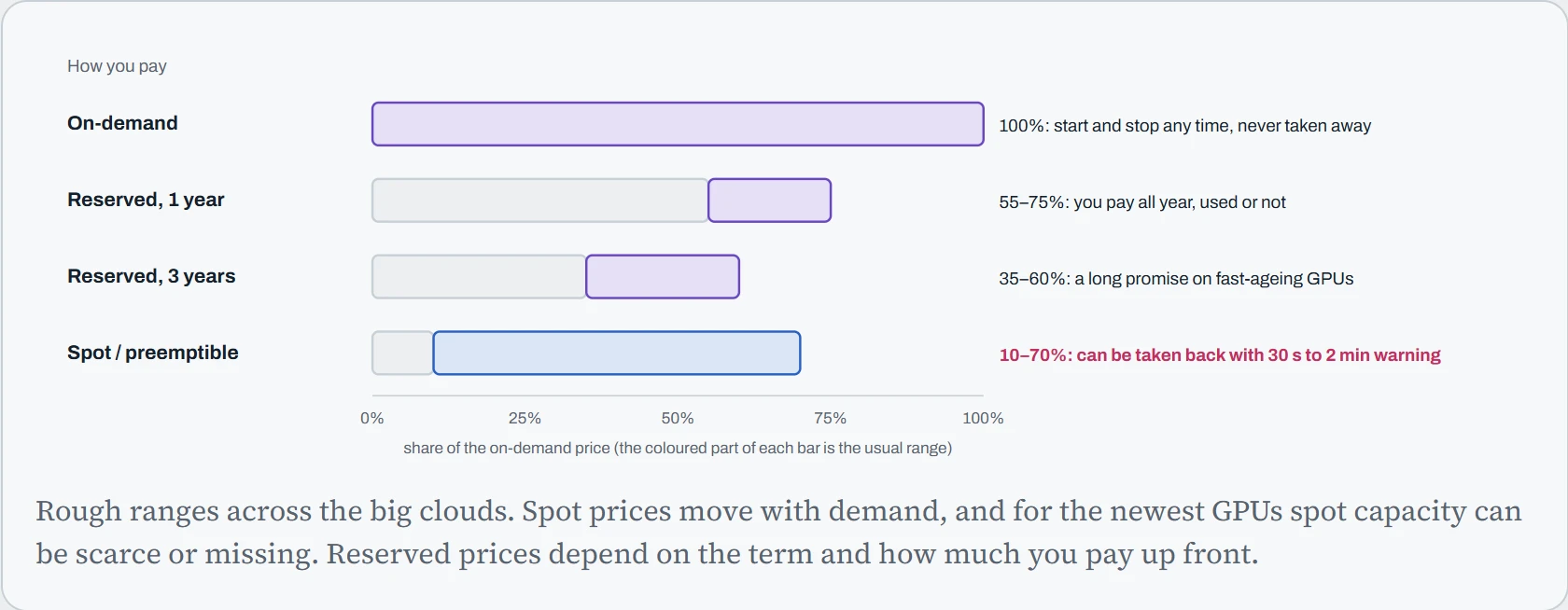
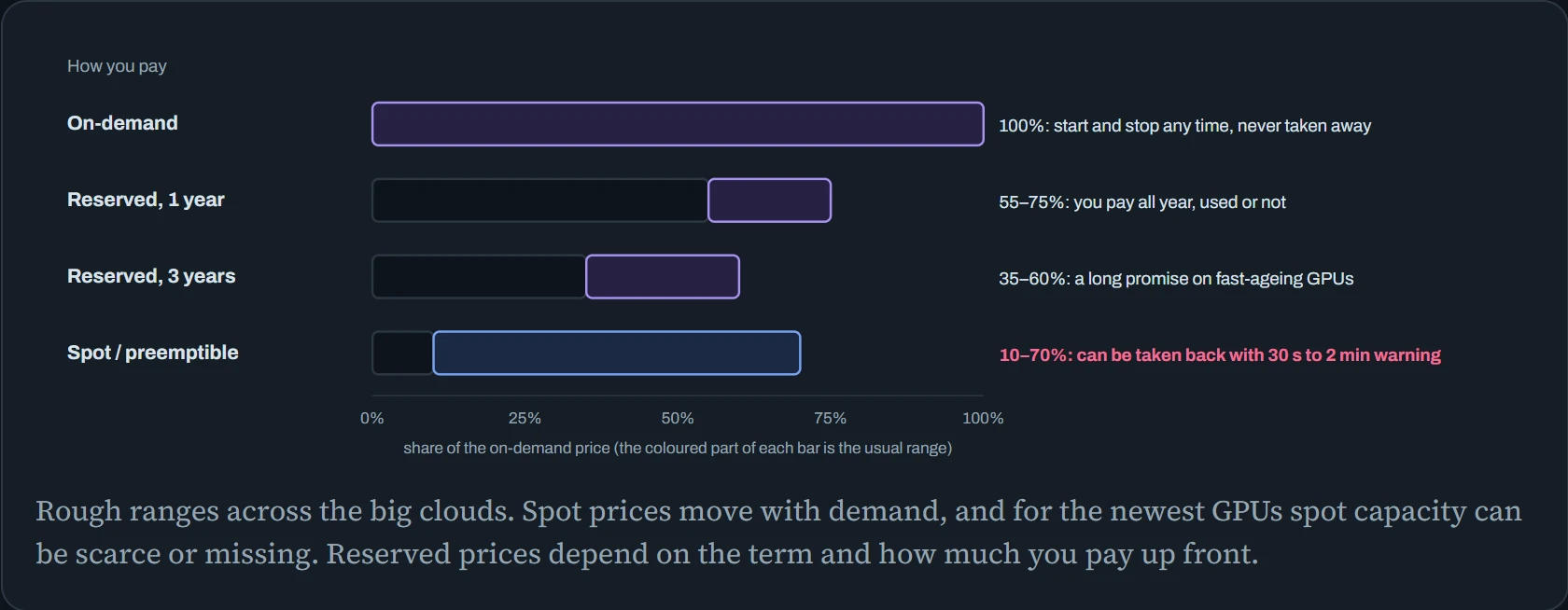
The pattern: the cheaper the GPU, the more risk you take on. Reserved shifts the risk of not using the GPU onto you. Spot shifts the risk of losing it onto you. On-demand costs the most because the cloud carries both.
For the newest GPUs there's one more catch, and it's usually the real one: capacity. Money doesn't guarantee a machine. A request for eight H100s can simply fail because the zone has none left, and every account has quotas (limits on how many GPUs you may run) that start low, often at zero. That's why the big clouds also sell short guaranteed bookings, like AWS Capacity Blocks for ML and Google's Dynamic Workload Scheduler, where you reserve a cluster for a set time window.
Is spot worth it?
Spot is a bet. You win the discount on every hour you run. You lose the work since your last checkpoint, plus the time to get going again, every time the machine is taken. Whether the bet pays comes down to four things: the discount, how often interruptions come, how often you save, and how fast you restart.
The calculator runs the same goodput sum as Down the Fleet, for one 8-GPU machine at an example on-demand price of $24 an hour. Saving one checkpoint is set to take 2 minutes. The violet bar is on-demand, the blue bar is spot. Look at both the cost and the time to finish, because spot is often cheaper and slower.
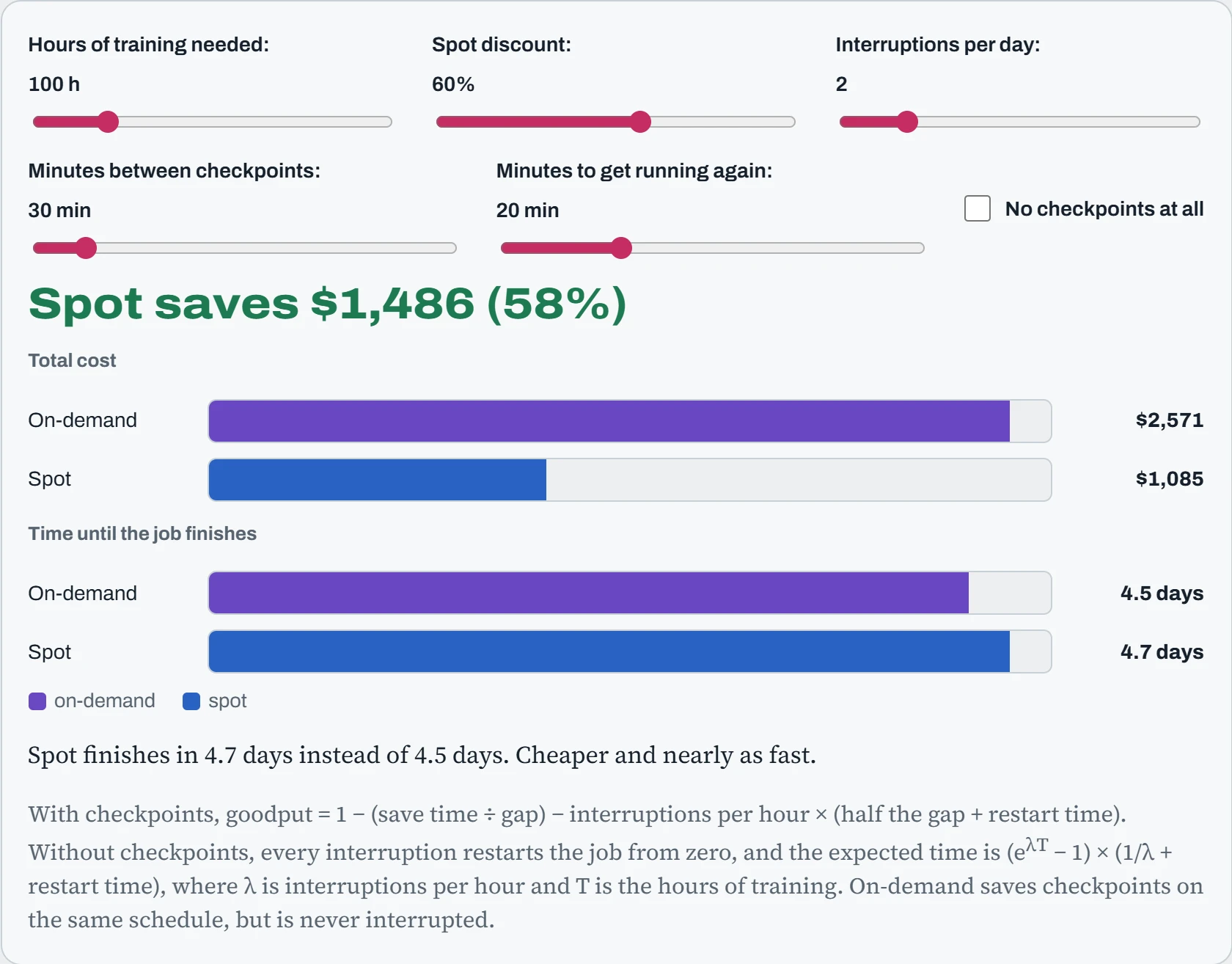
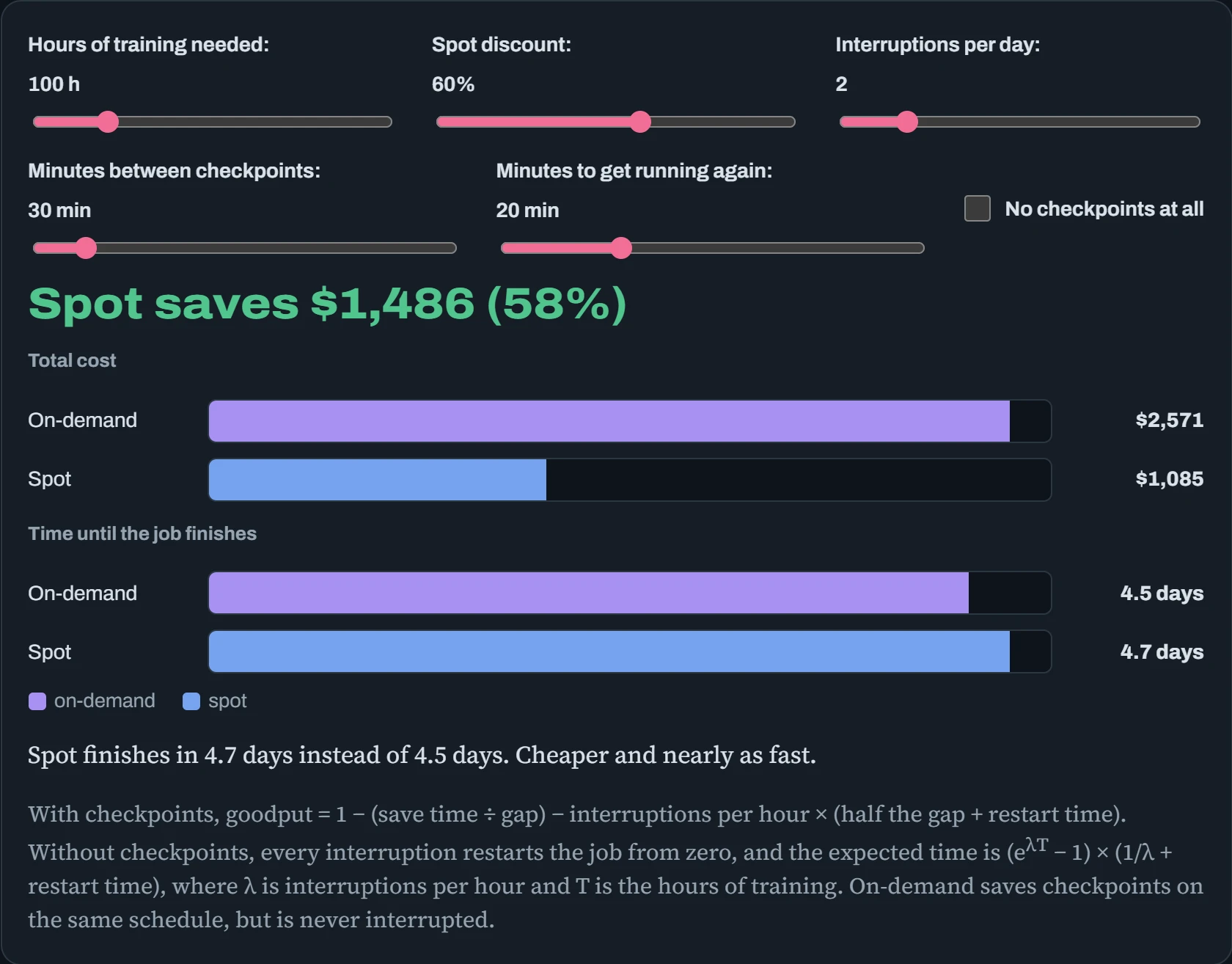
A few rules appear. With regular checkpoints, spot wins easily, even with several interruptions a day. Its real cost shows up as time, not money. Without checkpoints, short jobs still do fine on spot: a 10-hour job usually finishes before anything happens. But long jobs never make it, because the chance of an uninterrupted 100-hour run is tiny. Checkpoints are what turn spot from a gamble into a discount.
Restart time matters more than people expect. “Getting running again” means finding a new spot machine (which may not exist right away), booting it, pulling the container, downloading the checkpoint and loading it. The next section is about shrinking all of that.
Predict. A 10-hour job, no checkpoints at all, two interruptions a day, 60% spot discount. Spot or on-demand?
Answer. Spot, comfortably. With an interruption about every 12 hours, a 10-hour job often finishes before one arrives. Even counting the restarts from zero, the expected time is about 16 hours. At $9.60 an hour that's about $155, against $240 on-demand.
A 100-hour job is a different story. The chance of 100 hours with no interruption is about 1 in 4,000. Short jobs can afford to skip checkpoints. Long jobs can't.
From “machine is ready” to “model is ready”
When the cloud says your GPU machine is “running”, you're already paying, but nothing useful is happening yet. A plain Ubuntu machine has no NVIDIA driver. Something has to install it, often followed by a reboot, then the container tools, then pull your container image, then fetch the model weights. All of that is paid GPU time. It happens on every restart after a spot interruption, and on every new machine when you scale up.
The fix is to do the slow work once, ahead of time, and save the result as a golden image: a disk image with the driver, toolkit and even your container already installed. The calculator compares the choices. Each coloured block is one step of a boot, in order, and its width is how long it takes. Below it is what that wait costs per month at $24 an hour.
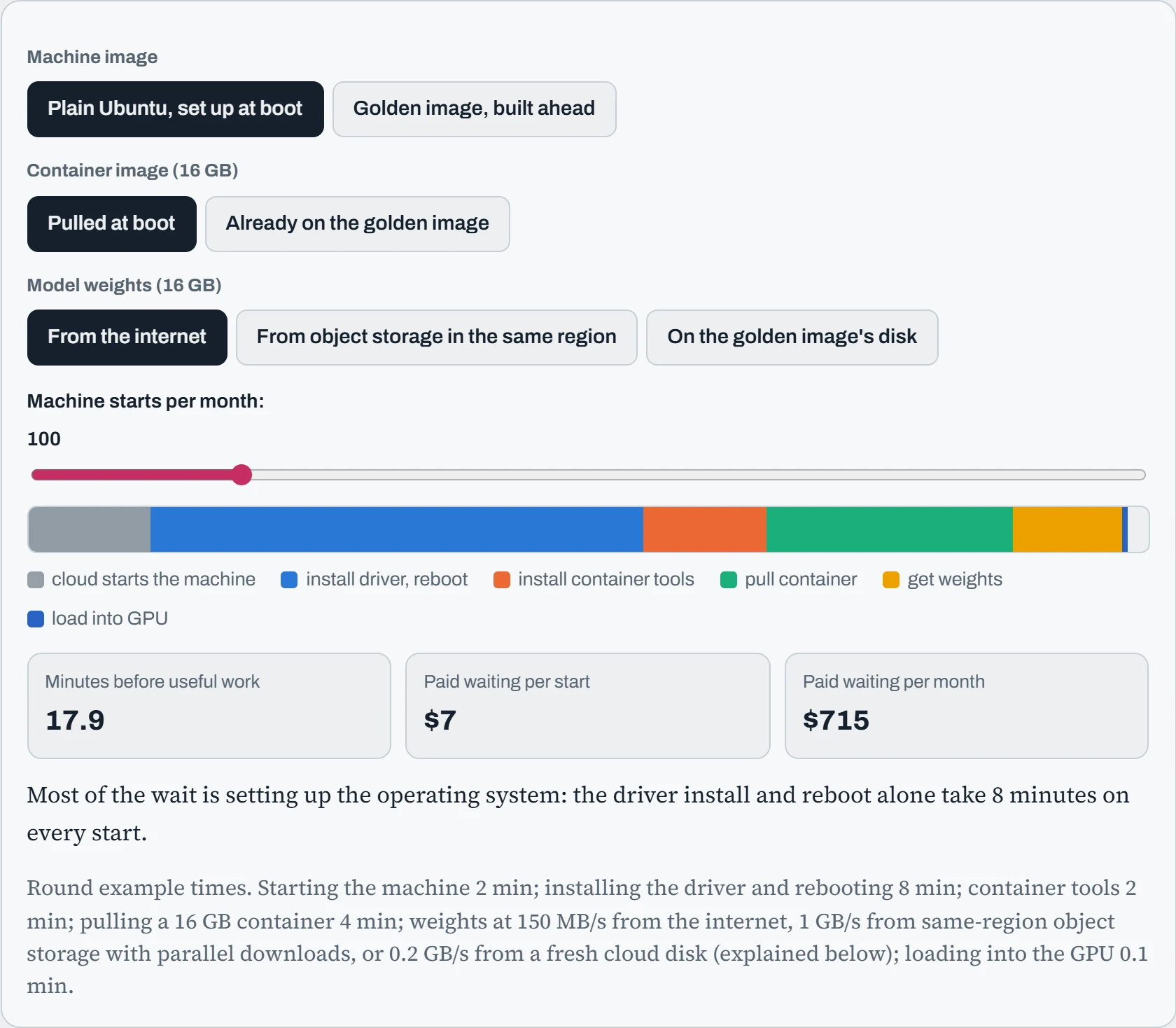
A plain image with everything fetched at boot wastes about 18 minutes per start. A golden image with the container already on it, and weights from nearby object storage, is ready in under three. At 100 starts a month, that difference alone is hundreds of dollars on one machine type.
There's a twist in the weights options. You'd expect “already on the disk” to be fastest, and it isn't. A cloud disk made from a saved image doesn't really copy all its data at creation. It fetches each block from the cloud's storage the first time it's read, which is called lazy loading. So the first read of 16 GB from a brand-new disk is slow. AWS sells Fast Snapshot Restore to pre-load such disks, for a fee. Parallel downloads from object storage in the same region are often quicker than either.
Predict. Start from the slowest setup. You can make only one change this week: build a golden image with the driver and container tools, or move the weights to object storage in the same region. Which saves more, and by how much?
Answer. The golden image, by far. Installing the driver, rebooting and installing the container tools take about 10 of the 18 minutes. Moving the weights saves about 1.5. And once you have a golden image, putting the container on it saves 4 more.
The usual lesson: the biggest waste is often the dullest part, setting up the operating system, not the model. And once the driver lives in the image, every boot also runs the exact same tested driver, which is the drift protection from Down the Fleet for free.
Infrastructure as code
Clicking through a cloud console to make a GPU machine works once. It doesn't work the hundredth time, or for a teammate, or after you forget which boxes you ticked. Infrastructure as code means describing your machines in text files that live in git, and letting a tool make the real cloud match them. Three tools split the job.
Packer builds the golden image. It starts a temporary machine, runs your setup steps, saves the disk as an image, and deletes the machine:
source "amazon-ebs" "gpu" {
  instance_type = "g6.xlarge"               # any GPU machine, just to build on
  source_ami    = "ami-0abc…"                # plain Ubuntu 24.04
  ami_name      = "gpu-node-570-{{timestamp}}"
  ssh_username  = "ubuntu"
}
build {
  sources = ["source.amazon-ebs.gpu"]
  provisioner "shell" { script = "install-driver-and-toolkit.sh" }
  provisioner "shell" { inline = ["sudo docker pull registry.example.com/llm-serve:1.4.3"] }
}
Terraform (or its open-source fork, OpenTofu) creates the machines, disks and networks from that image. You describe what should exist. Terraform works out what has to change, and shows you before doing anything:
resource "aws_instance" "trainer" {
  ami           = data.aws_ami.gpu_node.id     # the newest golden image
  instance_type = "p5.48xlarge"                # 8 × H100
  instance_market_options { market_type = "spot" }
  user_data     = file("cloud-init.yaml")
  tags          = { team = "research", project = "llama-ft", owner = "alex" }
}
$ terraform plan
  + resource "aws_instance" "trainer" { … }
Plan: 1 to add, 0 to change, 0 to destroy.
cloud-init handles the last mile. It's a program in almost every cloud Linux image that reads instructions you pass in when the machine is created (the user_data above), and runs them on first boot. With a golden image, it only has to do things that differ per machine, like mounting the fast local disk and starting the job:
#cloud-config
runcmd:
  - mkfs.ext4 -F /dev/nvme1n1 && mkdir -p /scratch && mount /dev/nvme1n1 /scratch
  - systemctl start finetune.service
$ cloud-init status --wait        # on the machine: block until first-boot setup is done
status: done
$ tail /var/log/cloud-init-output.log   # what it printed, when something went wrong
Notice the tags line in the Terraform file. Tags are labels the cloud puts on the bill, so you can see what each team and project costs. Without them, a month's GPU bill is one big number nobody owns. Tags written in code are always there, because nobody has to remember to add them.
On top of raw machines, managed services do some of this for you. Managed Kubernetes (EKS, GKE, AKS) gives you GPU node pools that grow and shrink with demand. Tools like SkyPilot and dstack go further: you describe the job and the GPU it needs, and they find the cheapest cloud and region with capacity, restart on spot interruptions, and shut the machine down when it's idle:
# train.yaml for SkyPilot
resources:
  accelerators: H100:8
  use_spot: true
run: torchrun --nproc_per_node 8 train.py --resume
$ sky jobs launch train.yaml         # a managed job: recovers by itself after interruptions
Whatever tool you use, the test is the same: could a teammate rebuild your whole setup from the git repository alone, with nothing in anyone's head? If yes, an outage or a lost machine is an inconvenience. If no, it's an archaeology project.
Continue the lesson
The whole lesson, with its drawings and its questions. 5 more sections after the ones above.