
Capstone B: from dataset to fine-tune to a monitored production endpoint
A fine-tuned model can behave strangely in production when the server builds its prompt differently from training: the training script used its own format and the chat endpoint applied the model's chat template. The pipeline makes each handoff an artifact you can name, store and check, through seven stages.
What this page answers
Why does my fine-tuned model behave differently when served?
A model only sees one long string of text. The training script built it with its own format, while the chat endpoint used the model's built-in chat template, which looks completely different. Read it in “Great in testing, strange in production”
What are the stages of a fine-tune to production pipeline?
Seven stages with six handoffs, each an artifact you can name, store and check, with production feeding the next round of data. Each handoff can pass a different tokenizer, dataset or quantization than expected. Read it in “The pipeline”
Great in testing, strange in production
You fine-tuned an 8B model to turn support tickets into JSON. Your evaluation script says it's excellent. Then you deploy it with vLLM and send the same kind of ticket through the API:
$ python eval.py --model runs/sft-v3 --data data/eval.jsonl
json_valid: 0.98   fields_correct: 0.91
$ curl -s localhost:8000/v1/chat/completions -d @ticket.json | jq -r '.choices[0].message.content'
Sure! Here's a summary of the ticket: the printer on floor 2 has gone offline again…
Outputs on this page are realistic examples. Commands, file formats and metric names are real.
No JSON at all: it answers like a generic chat assistant. Same weights, so what changed?
- The serving GPU computes slightly differently
- The server wraps the ticket in a different text format than training used
- The evaluation script was simply wrong
Answer. A language model only ever sees one long string of text. The training script built that string with its own format, and the chat endpoint builds it with the model's built-in chat template, which looks completely different:
$ grep -n "PROMPT =" train.py
12:PROMPT = "### Ticket:\n{ticket}\n### JSON:\n"
# what the server's chat endpoint actually sends the model:
<|im_start|>user
Ticket: printer offline again on floor 2…<|im_end|>
<|im_start|>assistant
The fine-tuning taught the model to answer ### JSON: with JSON. In the chat format it has never seen that cue, so it falls back to its old chat-assistant habits. The fix is to train with the same chat template the server will use (or give the server your format), and, more importantly, to evaluate through the deployed endpoint, not through training code. That's the theme of this capstone: each stage must hand the next one exactly what it expects.
The pipeline
Here's the whole journey. Read the top row left to right: each stage is a box, and the label under each arrow is the artifact it hands over, something you can name, store and check. The bottom arrow closes the loop: what you learn from production feeds the next round of data.
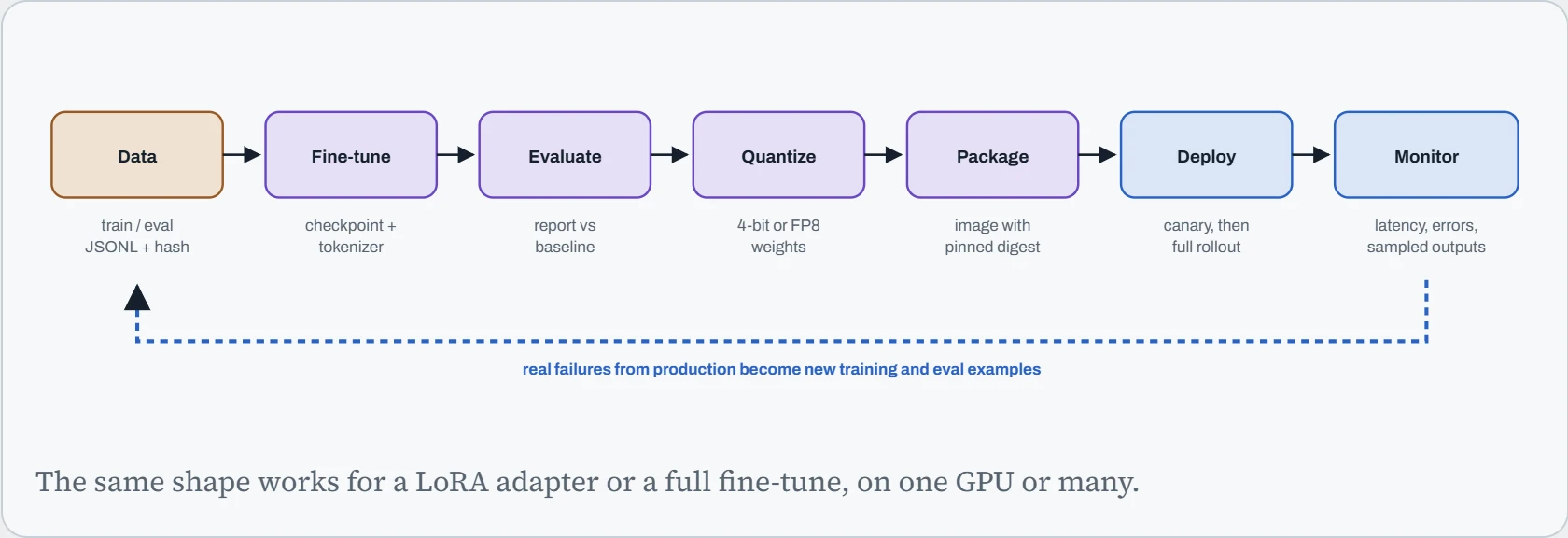
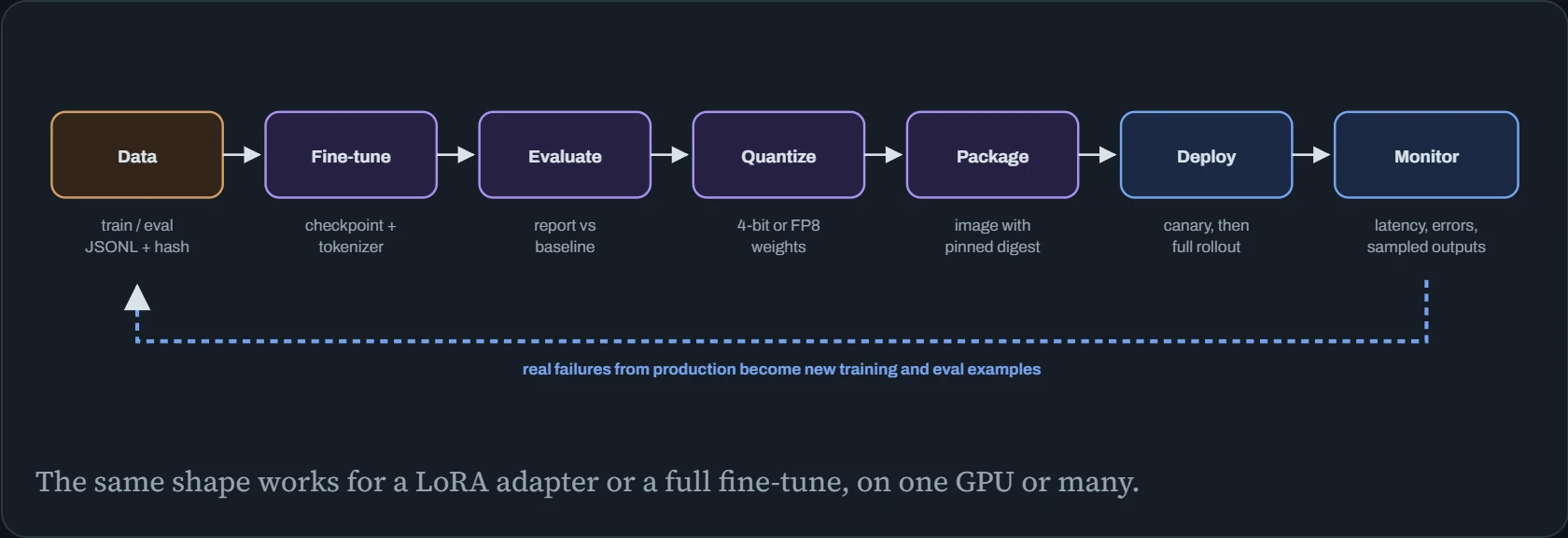
Seven stages, six handoffs, and every handoff is a chance for the next stage to receive something slightly different from what it expects: a different tokenizer, an older dataset, a different quantization than the one you evaluated. The rest of this page is about making those handoffs explicit and checked.
Stages and gates
Here are the ten milestones in detail. Each has a gate: a check that must pass before anything downstream may use its output.
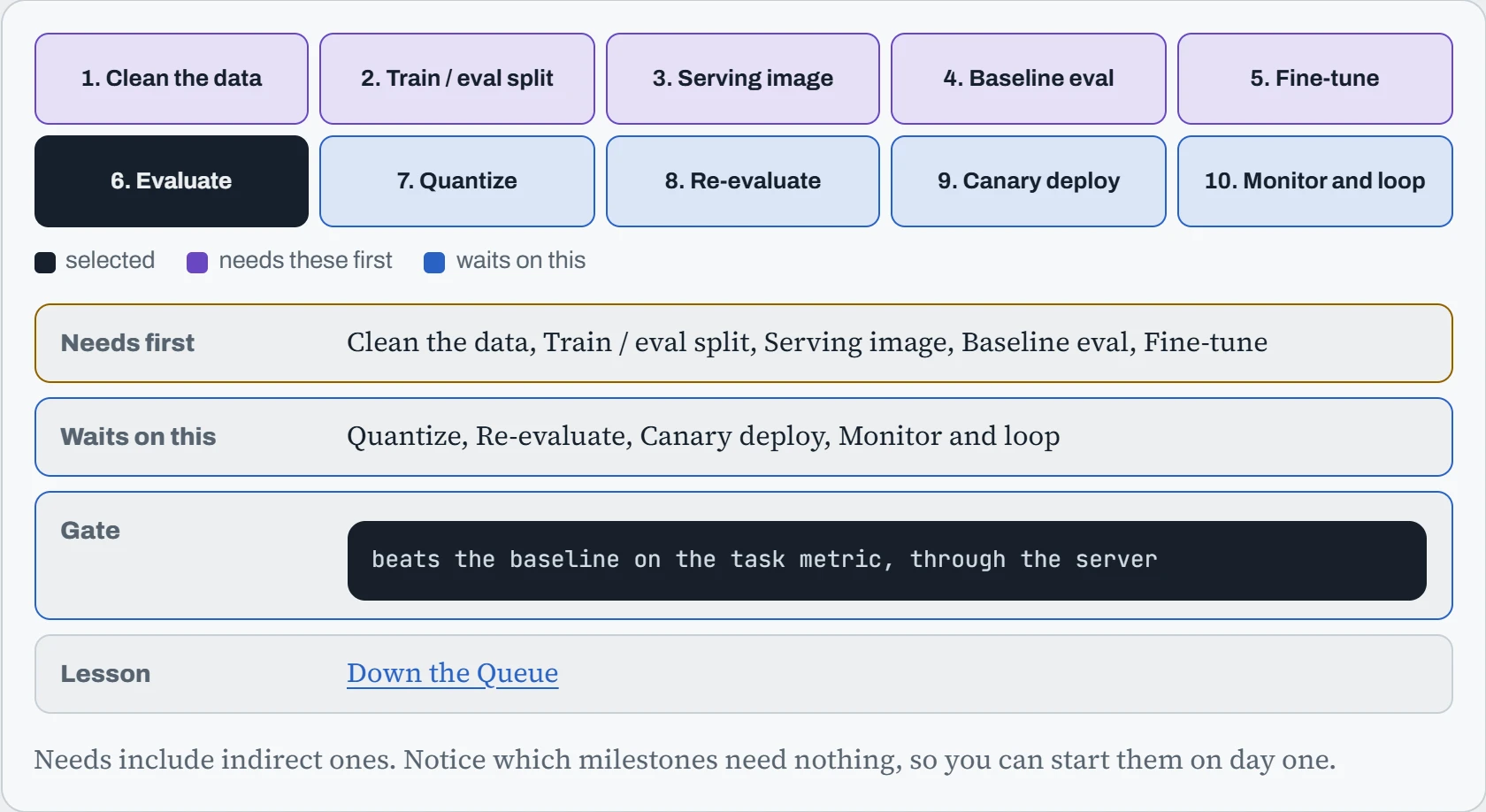
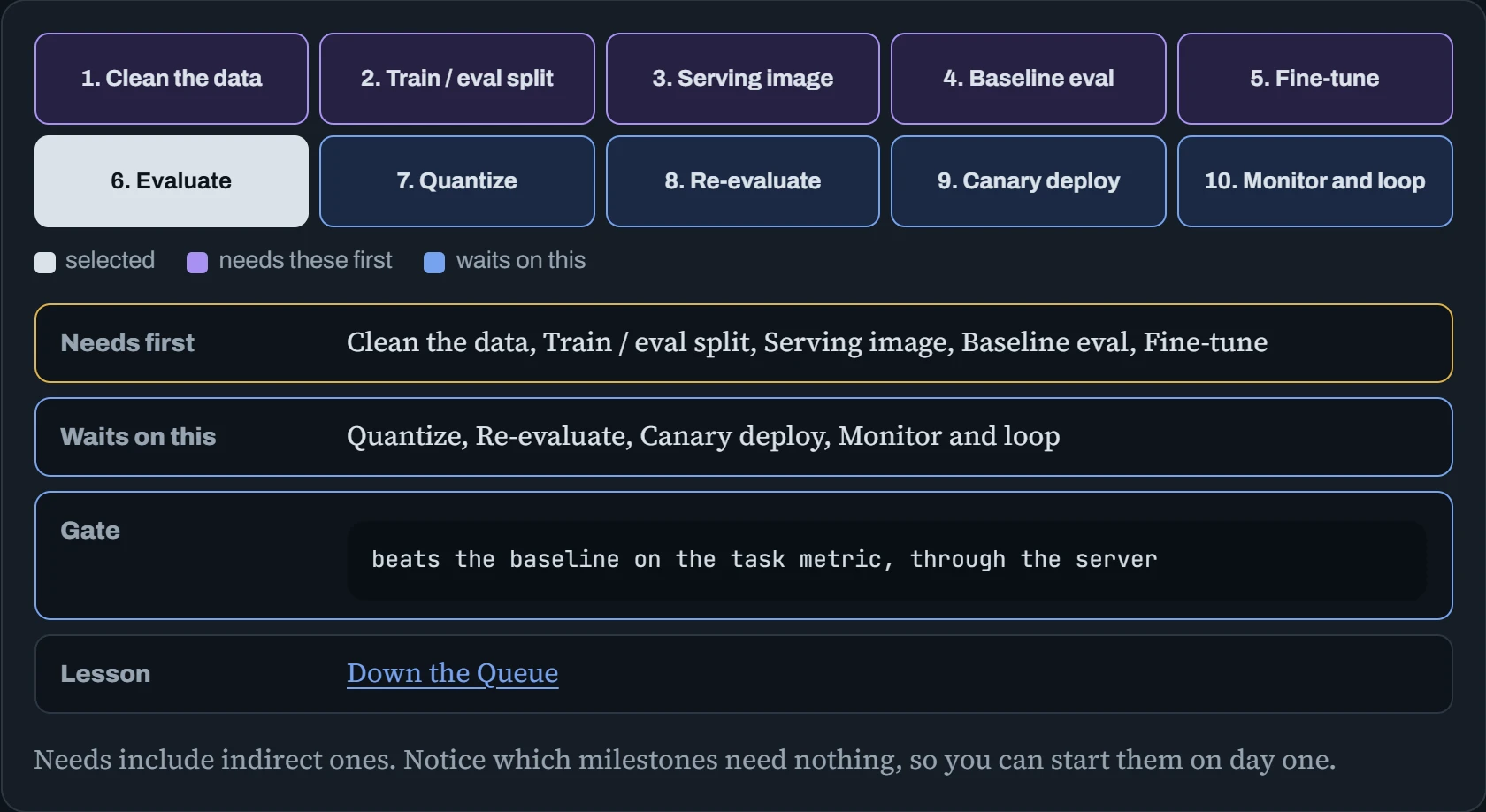
Two milestones surprise people. The baseline evaluation, scoring the base model before any fine-tuning, comes before training, because “91% correct” means nothing until you know the base model scored 60%, or 89%. And the serving image needs nothing at all, so you can build and test it on day one, with the base model, while data preparation is still going. That's also how you'd have caught the hook early.
Preparing the data
Fine-tuning data is usually JSONL in the chat format: one conversation per line, as a list of messages. Before training on it, four jobs matter more than the model choice: remove duplicates, split off an evaluation set that shares nothing with training, check that every example renders through the chat template you'll serve with, and look at the lengths (Down the Dataset, Down the Pipe):
$ jq -c '.' raw.jsonl | sort -u > dedup.jsonl && wc -l raw.jsonl dedup.jsonl
  52410 raw.jsonl
  48876 dedup.jsonl
$ shuf --random-source=<(yes) dedup.jsonl | split -l 46876 - part_ && mv part_aa train.jsonl && mv part_ab eval.jsonl
$ uv run python check_template.py train.jsonl --tokenizer runs/base
rendered 46876 examples with the serving chat template
tokens per example: p50 412   p95 1630   max 7904
over max length (4096): 11 examples, dropped
$ sha256sum train.jsonl eval.jsonl | tee data/MANIFEST.sha256
Exact duplicates are only the start: near-duplicates (the same ticket with a different greeting) leak between train and eval just as badly, so many teams also compare n-grams or embeddings across the split. The last line is small but important: the hashes are the dataset's identity. Every later stage records which hash it used, so “the model trained on last Tuesday's data” becomes a fact you can check rather than a memory.
Predict. Your fine-tuned model scores 96% on the eval set, far better than you expected. A colleague finds that 7% of eval tickets also appear, almost word for word, in the training data. How much should you trust the 96%?
Answer. Not much. For those 7%, the model may simply be remembering answers it was shown, and contaminated scores are typically inflated. Worse, you can't tell how much from the number alone: the model may also do well on the clean 93%, or not.
Remove the overlap, rescore on the clean eval set, and add a near-duplicate check to the data pipeline so it can't happen silently again. Real-world tickets repeat a lot, so this is the norm, not an edge case.
Fine-tuning
For most tasks, LoRA is the sensible first try: it trains small adapter matrices instead of every weight, so it needs far less memory and time (Down the Memory). Across several GPUs or machines, torchrun starts one process per GPU, and FSDP splits the model's memory between them (Down the Wire). A two-machine launch, and the files a good run leaves behind:
node1$ torchrun --nnodes 2 --nproc-per-node 8 --rdzv-backend c10d --rdzv-endpoint node1:29500 \
          train.py --base runs/base --data data/train.jsonl --lora-r 16 --epochs 3 --out runs/sft-v4
$ ls runs/sft-v4/
adapter_model.safetensors  adapter_config.json  tokenizer.json  tokenizer_config.json
chat_template.jinja  generation_config.json  train_args.json  data.sha256
$ ls runs/sft-v4/checkpoints/
step-500  step-1000  step-1500  latest -> step-1500
Everything in that folder is there for a reason. The tokenizer and chat_template.jinja travel with the weights, so the server formats prompts exactly as training did (the hook). generation_config.json says which token ends an answer. train_args.json and data.sha256 record how and from what it was made. And regular checkpoints, with a SIGTERM handler that saves one more on preemption (Down the Signal), mean a crash costs minutes, not the whole run.
Evaluate, shrink, ship
Evaluate with the metric your task actually needs (here: valid JSON, correct fields), on the clean eval set, against the baseline, through the same server you'll deploy. General benchmarks from tools like lm-evaluation-harness are useful as a check that nothing else broke, not as the goal. Then quantize to make serving cheaper: AWQ or GPTQ to 4 bits, or FP8 on GPUs that support it (Down the Bits). Then package the server in a container with every version pinned, and deploy it as a canary that takes a small share of traffic first (Down the Queue):
$ docker run --gpus all -p 127.0.0.1:8000:8000 -v /models:/models:ro vllm/vllm-openai:v0.11.0 \
    --model /models/sft-v4-awq --served-model-name tickets \
    --chat-template /models/sft-v4-awq/chat_template.jinja --max-model-len 8192
$ python eval.py --endpoint http://127.0.0.1:8000/v1 --model tickets --data data/eval.jsonl
json_valid: 0.97   fields_correct: 0.90   # baseline 0.41 / 0.37, unquantized 0.98 / 0.91
$ curl -s 127.0.0.1:8000/metrics | grep -E "^vllm:(num_requests_waiting|time_to_first_token_seconds_sum)"
vllm:num_requests_waiting{model_name="tickets"} 0.0
vllm:time_to_first_token_seconds_sum{model_name="tickets"} 41.82
That evaluation line is the gate that matters most: the quantized model, through the real server, scores almost the same as the unquantized one, and far above the baseline. Only that combination is safe to roll out. In production, watch the serving metrics (queue length, time to first token, error rate) and also the task metric on a sample of live requests, because a model can stay fast while quietly getting worse at its job. Ready-made dashboards for all of this come from Down the Dashboard.
Predict. After 4-bit quantization, a general benchmark drops by only 0.4 points, so a teammate wants to ship. On your own task, valid JSON falls from 98% to 91%. Which number decides?
Answer. Yours. Seven more broken answers in every hundred is a real outage for anything that parses the JSON. Quantization error isn't spread evenly: strict formats, rare tokens and long outputs often suffer more than general knowledge does, so averages over broad benchmarks hide exactly the failures you care about.
Options: calibrate the quantization with examples from your own task, try 8-bit or FP8 instead of 4-bit, or keep the unquantized model and accept the cost. Whatever you choose, the decision comes from evaluating the exact artifact you'll deploy.
Continue the lesson
The whole lesson, with its drawings and its questions. 4 more sections after the ones above.