
AMD ROCm and other accelerators: HIP portability, TPUs, Trainium and CPU inference
Every AMD GPU has a chip name like gfx1031 that identifies its instruction set. PyTorch and rocBLAS ship GPU code compiled for a list of those names, and a chip that is not on the list has no code it can run, giving invalid device function. Portable code goes through HIP, Triton or the framework.
What this page answers
What does invalid device function mean on an AMD GPU?
The libraries ship GPU code compiled for a list of chip names such as gfx1031. If your chip is not on the list, there is no code it can run. Read it in “The card works. The model doesn't.”
How do I run CUDA code on an AMD GPU?
HIP looks almost exactly like CUDA, and hipify-perl or hipify-clang rewrite CUDA source into HIP for AMD. New kernels can be written in Triton, which compiles for NVIDIA, AMD and Intel. Read it in “Writing once, running on several”
The card works. The model doesn't.
You have an AMD Radeon RX 6700 XT. ROCm is installed, the system tools see the card, and the ROCm build of PyTorch says the GPU is available. You move a tensor to it and multiply, and get this:
$ rocminfo | grep -m1 "gfx"
  Name:                    gfx1031
$ python -c "import torch; print(torch.cuda.is_available(), torch.version.hip)"
True 6.4.43482
$ python -c "import torch; x = torch.randn(1024, 1024, device='cuda'); print((x @ x).sum())"
RuntimeError: HIP error: invalid device function
HIP kernel errors might be asynchronously reported at some other API call, so the stacktrace below might be incorrect.
Outputs on this page are realistic examples, and versions vary. Commands, environment variables, device files and chip names are real.
The driver works, the card is detected, and PyTorch says yes. Then the very first real calculation fails. What's missing?
- The kernel driver isn't loaded properly
- There's no GPU code built for this exact chip
- The card doesn't have enough memory
Answer. Every AMD GPU has a chip name like gfx1031. The letters and numbers identify its exact instruction set, the “language” its cores speak. Libraries like PyTorch and rocBLAS ship GPU code compiled for a list of chip names. If your chip isn't on the list, there's simply no code it can run, and you get invalid device function. This is the same problem as Seam C in Down the CUDA Stack, with one difference that bites harder: most ROCm builds have no portable fallback that the driver can translate on the spot, the way CUDA's PTX can.
The well-known workaround is HSA_OVERRIDE_GFX_VERSION=10.3.0. It tells ROCm to treat the card as its close sibling gfx1030 (the RX 6800 family), which is on the list. It usually works, because siblings in a family speak nearly the same language. The mechanism section shows when that trick is safe, and when it isn't.
Every accelerator has the same layers
Every AI accelerator on Linux needs the same stack of parts. There's a kernel driver that owns the hardware, device files in /dev that programs open to reach it, a runtime that loads code onto the chip and moves memory, math libraries with fast matrix multiplies, a collectives library for talking between chips (the job NCCL does in Down the Wire), and a framework device, the name you type in PyTorch or JAX. Only the names change.
Each row is one layer, from your code at the top down to the chip. Violet rows are system software, blue is what you touch in your code, and copper is the hardware. Compare the rows between platforms: the shape is always the same.
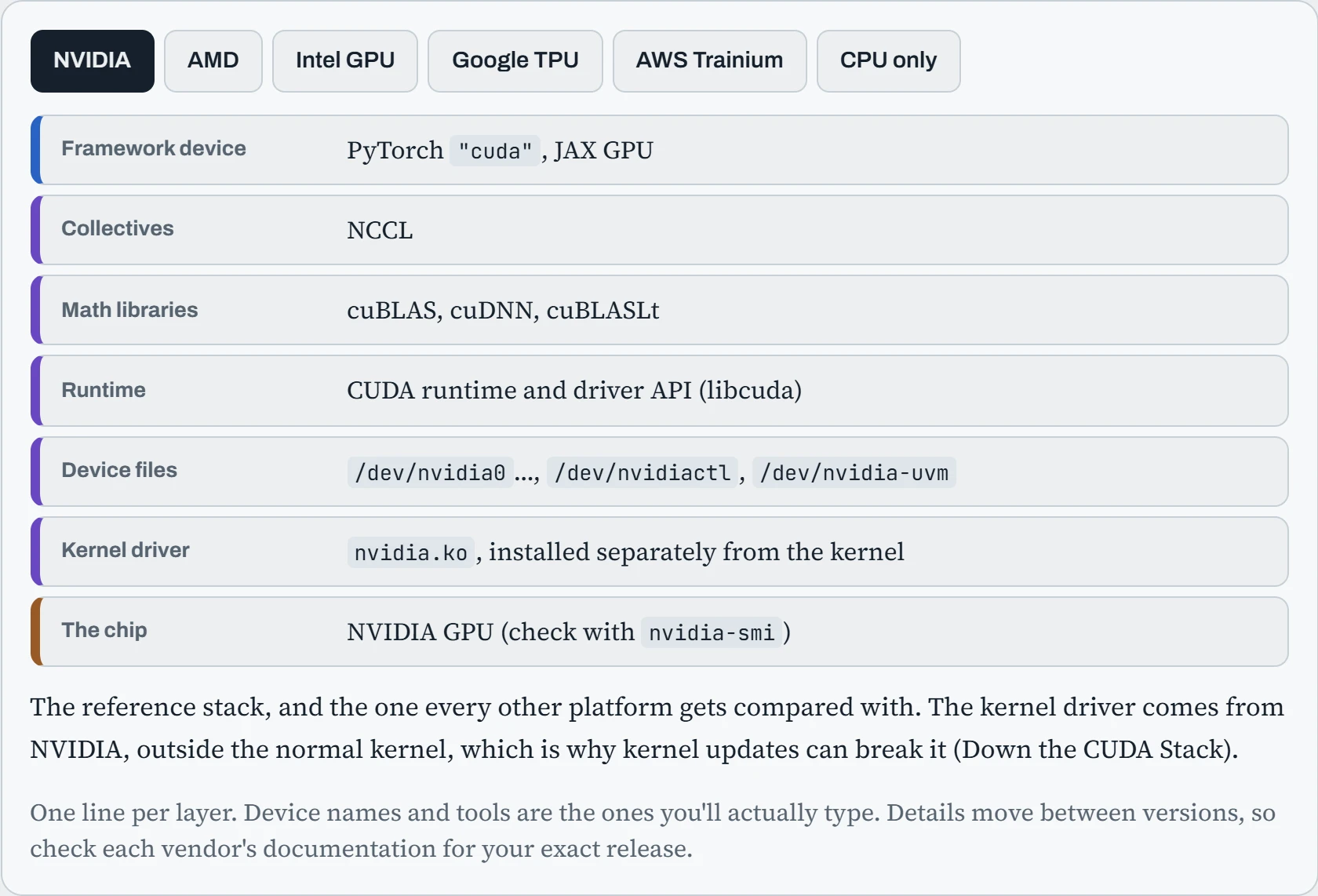
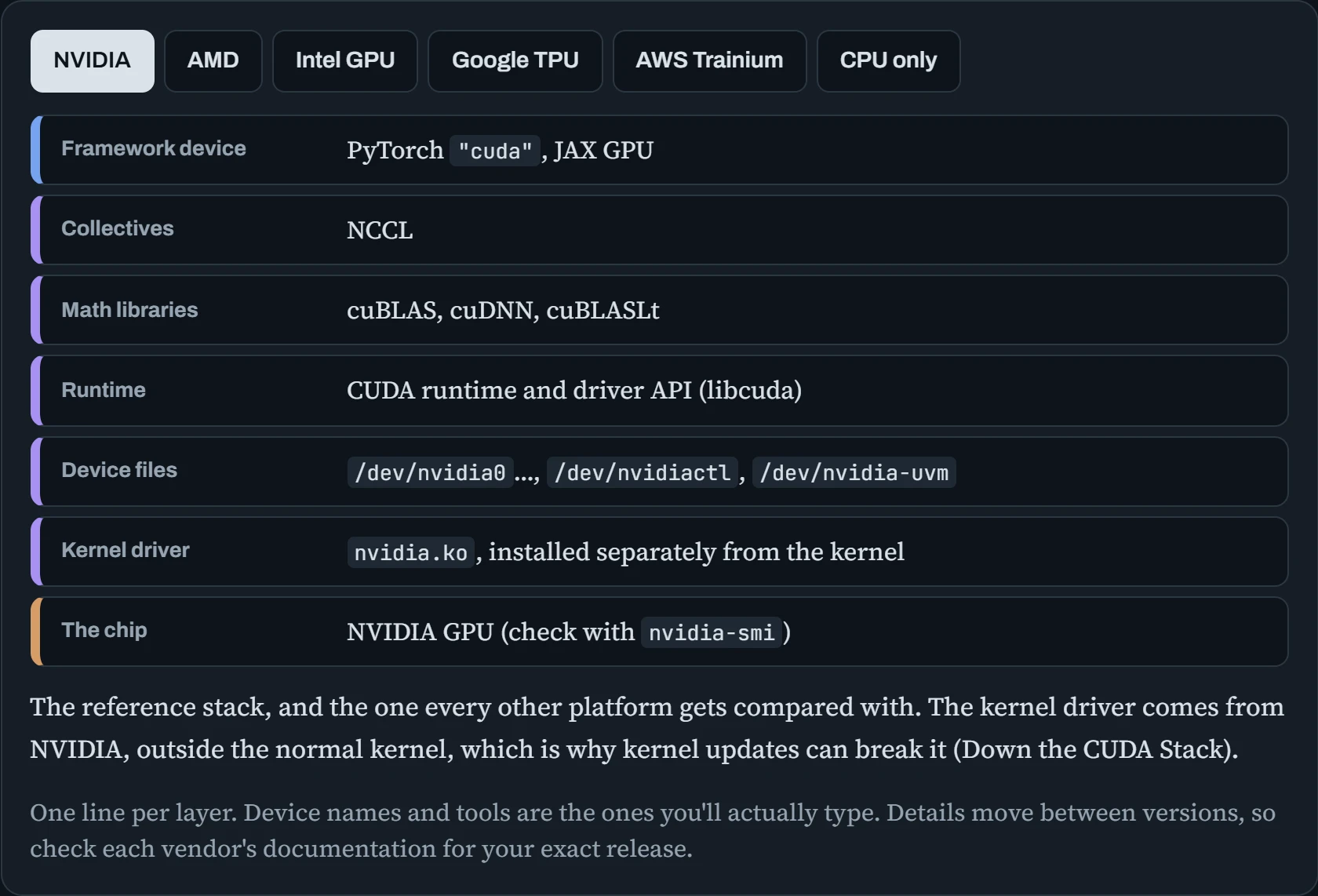
Two patterns stand out. First, AMD and Intel GPU drivers are part of the normal Linux kernel (amdgpu, i915 and xe), while NVIDIA's is a separate module you install. So on AMD, the kernel driver is rarely the problem: the ROCm user-space libraries and chip support are. Second, TPUs and Trainium work differently from GPUs. Your model is compiled into one big program before it runs, which changes how you debug and how long the first step takes. The operations section covers both.
Predict. You run a PyTorch script written for NVIDIA on an AMD GPU with the ROCm build of PyTorch. The script says device="cuda" everywhere. Do you have to change it to something like "rocm"?
Answer. No. The ROCm build of PyTorch deliberately answers to the name cuda. Underneath it uses HIP, AMD's CUDA-like layer, but torch.cuda.is_available(), .to("cuda") and friends all work unchanged. To tell which you're on, look at torch.version.hip: it's a version string on ROCm, and None on NVIDIA.
Code that calls CUDA directly is a different story: custom CUDA kernels, or libraries that ship only NVIDIA code, like some attention and quantization kernels. Those need a HIP version, which is where the portability tools come in.
Setting up AMD's stack
Because the kernel driver is already in Linux, setting up AMD is mostly about the user-space ROCm libraries and permissions. AMD's installer script adds its package repository and installs the pieces for the job you name (a use case):
$ sudo amdgpu-install --usecase=rocm         # ROCm libraries, tools and HIP
$ sudo usermod -aG render,video $USER        # permission to open /dev/kfd and /dev/dri
$ newgrp render                              # or log out and back in
$ amd-smi list
GPU: 0
    BDF: 0000:03:00.0
    UUID: …
$ pip install torch --index-url https://download.pytorch.org/whl/rocm6.4
The group step trips up nearly everyone. On AMD, programs reach the GPU through /dev/kfd (the compute interface) and /dev/dri/renderD* (one per GPU). Those files belong to the render and video groups. Without membership, ROCm tools report no GPU, or a permission error, even though everything is installed. And PyTorch must come from the ROCm package index. The ordinary pip install torch gives you the NVIDIA build, which can't see AMD GPUs at all.
Officially, ROCm supports AMD's data centre Instinct cards (MI210, MI250, MI300X and newer) and a growing list of Radeon cards, starting with the RX 7900 series. Many other Radeon cards work in practice, but with the chip-name caveat from the hook. Before you buy, check that your exact chip name is on AMD's support list for the ROCm version you plan to use.
Writing once, running on several
Most AI code never touches the hardware directly. It calls PyTorch or JAX, and the framework picks the right libraries. Portability problems appear in the code below that: custom kernels, and libraries that only ship CUDA versions. There are four ways around it, and each fits a different situation:
| Approach | How it works | Good for |
|---|---|---|
| HIP and hipify | HIP looks almost exactly like CUDA. hipify-perl or hipify-clang rewrite CUDA source into HIP, which can be compiled for AMD (and still for NVIDIA) | Porting your own CUDA kernels to AMD |
| Triton | Kernels written in Python-like Triton code are compiled for NVIDIA, AMD and Intel by the Triton compiler. torch.compile uses it too | New custom kernels that should run everywhere |
| Vulkan and SYCL backends | General-purpose GPU interfaces that many vendors support. llama.cpp can be built with -DGGML_VULKAN=ON or a SYCL backend | Running models on hardware that has no good ROCm or CUDA support |
| ONNX Runtime, OpenVINO | Export the model once to ONNX, then run it through an execution provider for each kind of hardware | Inference on many targets, including CPUs and NPUs |
The honest summary: training large models outside NVIDIA works best on AMD Instinct with ROCm, and on TPUs with JAX. Inference has many more options. And the newest research code almost always arrives CUDA-first, with other platforms catching up weeks or months later. So before choosing hardware, check that the exact libraries your project depends on (attention kernels, quantization formats, serving engines) support it today, not on a roadmap.
TPUs and Trainium: compile first
Google's TPUs and AWS's Trainium and Inferentia chips are only available in their clouds, and they change one big thing about how code runs. On a GPU, PyTorch normally runs each operation as soon as Python reaches it. This is called eager execution. On TPUs and Trainium, the framework first records the whole step as a graph, then a compiler (XLA for TPUs, neuronx-cc for Trainium) turns it into one optimized program, and only then does it run. The picture compares the two over the first few training steps.
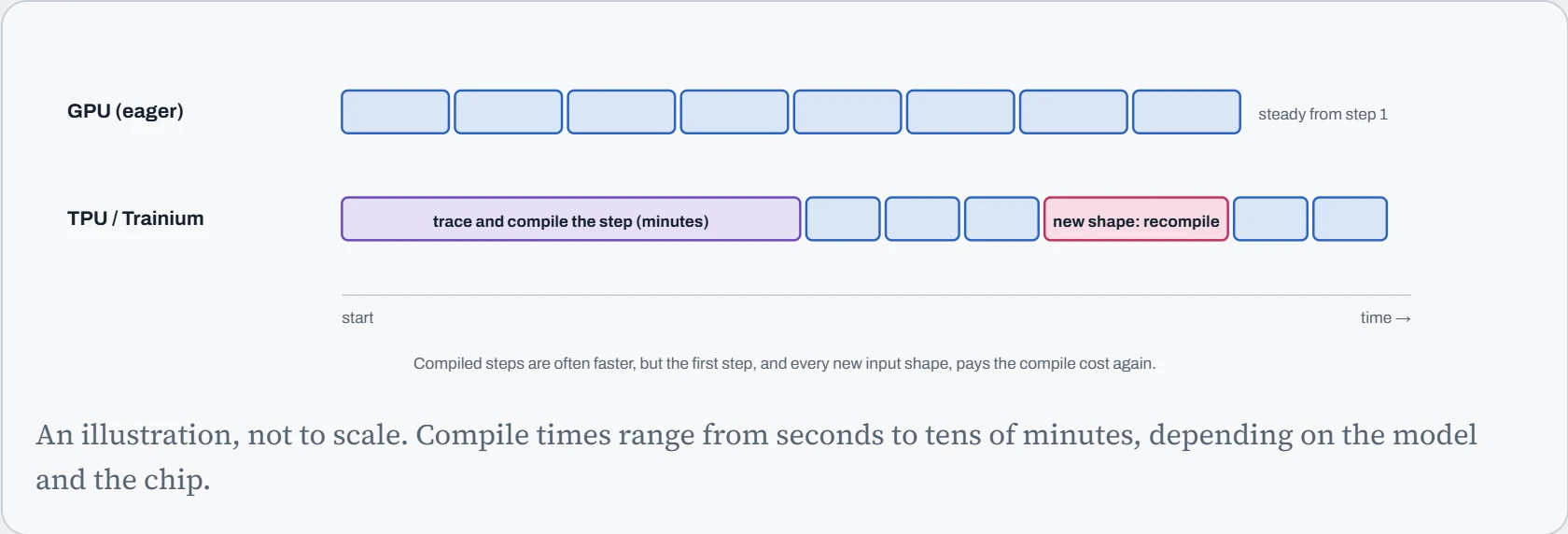
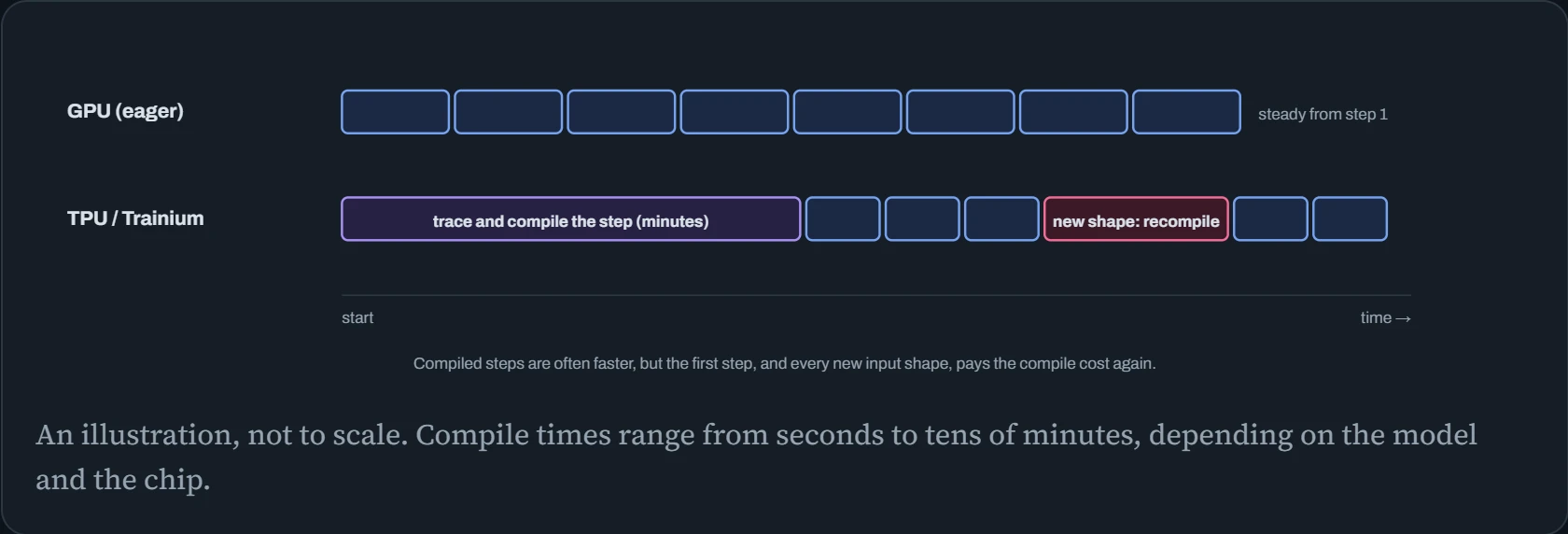
The pink block is the trap. The compiled program is built for the exact shapes it saw: batch size, sequence length and so on. Feed it a batch with a different sequence length, and it compiles a whole new program. Training code that pads every batch to a few fixed lengths compiles a few times and then flies. Code that uses whatever length each batch happens to have compiles forever. Both platforms keep a cache of compiled programs on disk, so keep that cache on a disk that survives restarts (the same lesson as the torch.compile cache in Down the Memory).
On the Linux side, the checks are short. A TPU VM shows its chips to JAX directly. On Trainium, neuron-ls lists the devices and neuron-top shows them live, much like nvidia-smi. One more difference: a TPU can only be used by one process at a time, so a forgotten notebook holding it blocks every other job until it exits.
tpu-vm$ python -c "import jax; print(jax.devices())"
[TpuDevice(id=0, process_index=0, coords=(0,0,0), core_on_chip=0), TpuDevice(id=1, …), …]
trn1$ neuron-ls
instance-type: trn1.32xlarge
+--------+--------+--------+-------------+
| NEURON | NEURON | NEURON |  CONNECTED  |
| DEVICE | CORES  | MEMORY |   DEVICES   |
+--------+--------+--------+-------------+
| 0      | 2      | 32 GB  | 12, 3, 4, 1 |
…
If the first step of a job on these chips takes ten minutes, that's usually the compiler, not a hang. Check the logs for compile messages before you kill it.
Continue the lesson
The whole lesson, with its drawings and its questions. 4 more sections after the ones above.