
How ENARSI is passed: the exam's shape and the one troubleshooting habit
ENARSI is a 90-minute exam with no prerequisites. Keep your pace with one sum: questions answered plus 7 for each time burner equals the minutes you should have used. Read every word of each question, because the number-one test-taking problem is not reading closely enough. And work every fault the same way: symptom, scope, plane, proof, fix, verify.
By Arif, founder of Daveth · Updated
The full 8 min walkthrough is in Daveth Pro (Network). See what the plan opens
What this page answers
How do you pass the ENARSI exam?
Know its shape, keep your pace with a quick sum, read every word of each question, and troubleshoot every fault the same way: symptom, scope, plane, proof, fix, verify. 18 of the blueprint's 25 objectives start with Troubleshoot. Read it in “The habit: symptom, scope, plane, proof, fix, verify”
How long is the ENARSI exam?
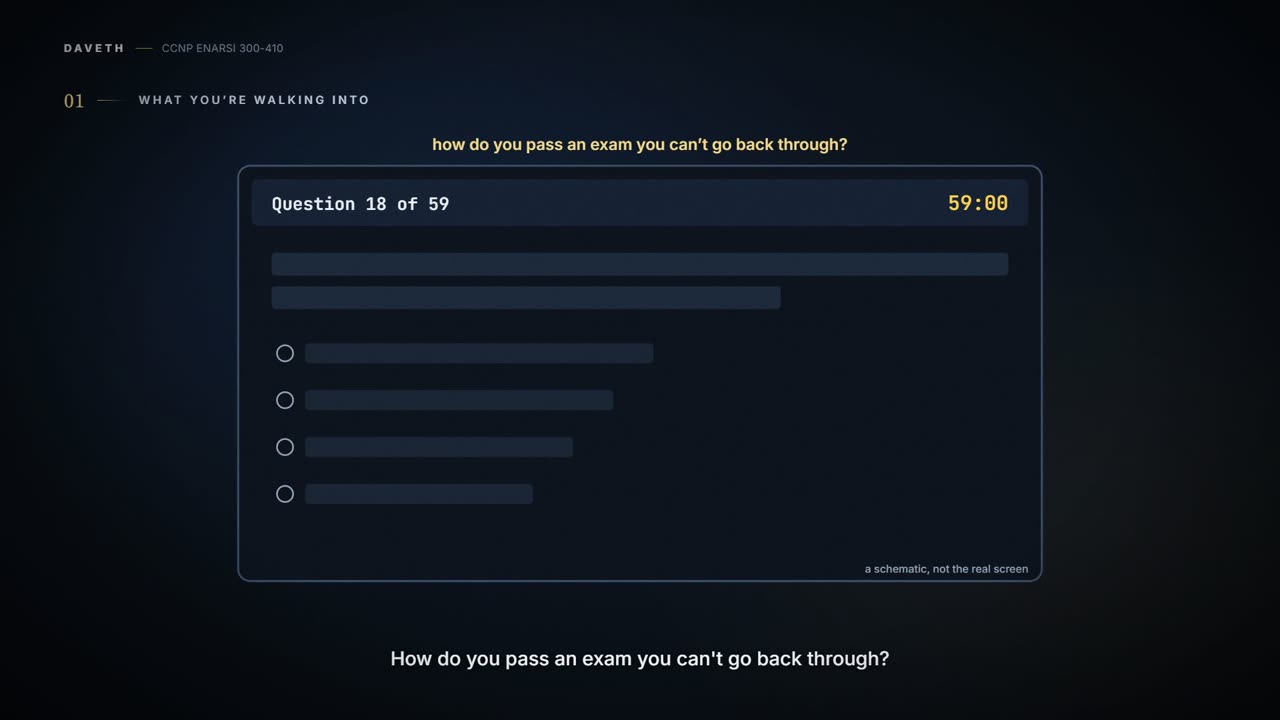
90 minutes, with no prerequisite exam. The question counter shows the total number of questions only on the screens. Read it in “What you're walking into”
How do you check your pace in the exam?
Add the questions answered so far and 7 for each time burner answered: that is the minutes you should have used. 17 questions with 2 time burners is 31 minutes; compare with the timer. Read it in “A time check you can do in your head”
What you're walking into
ENARSI is a 90-minute exam, and nothing has to be passed first. There are no prerequisites, so it could even be your first Cisco exam, though people usually take CCNA (the associate exam) or ENCOR (CCNP's core exam) before it.
The rest of this course follows one network and the engineer who has just inherited it: Dana, in her first week, with an exam booked and someone else's half-finished changes still in the configs. You're in the same seat. This page is the briefing before the first ticket, so there's no routing on it yet.
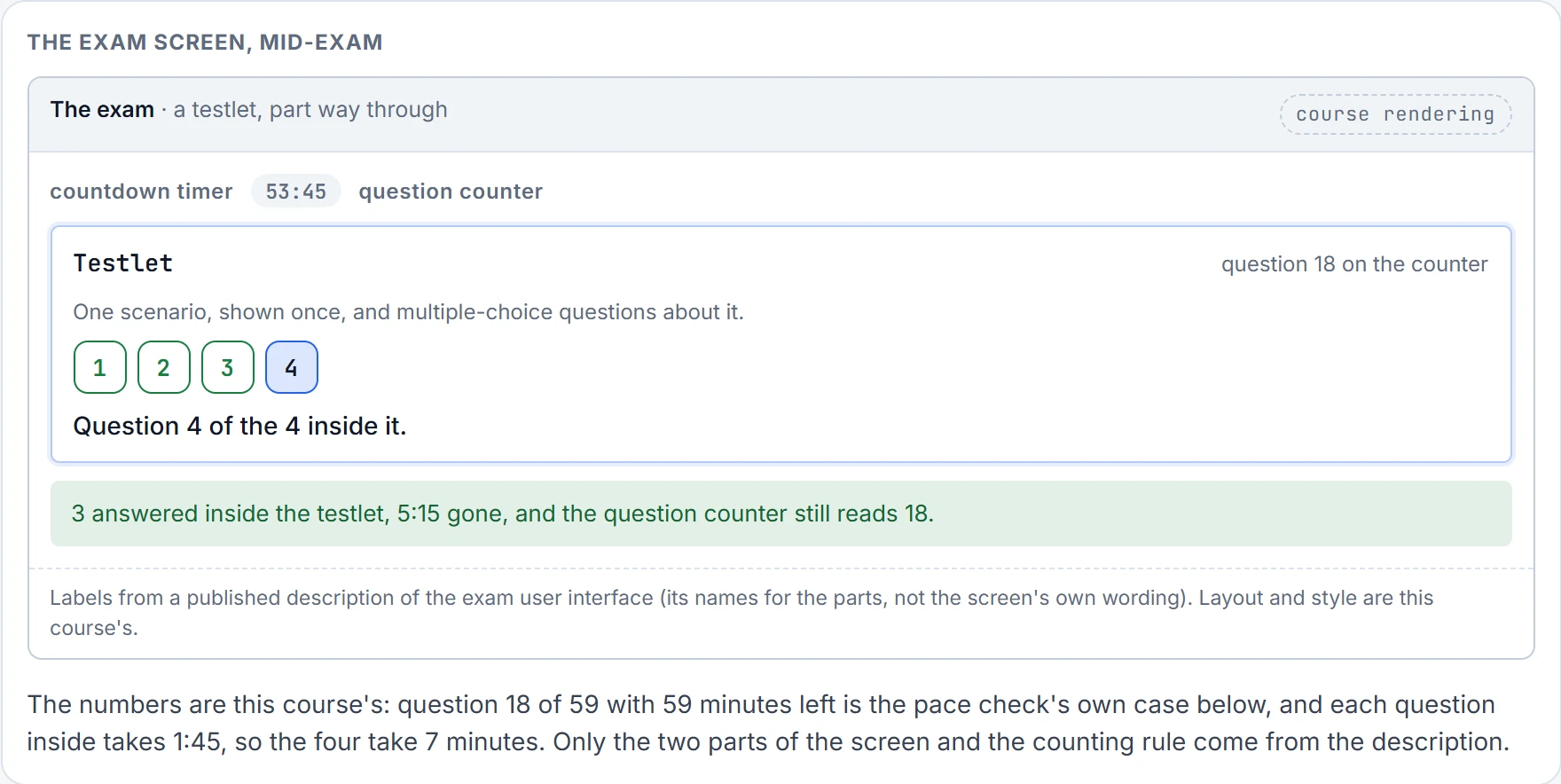
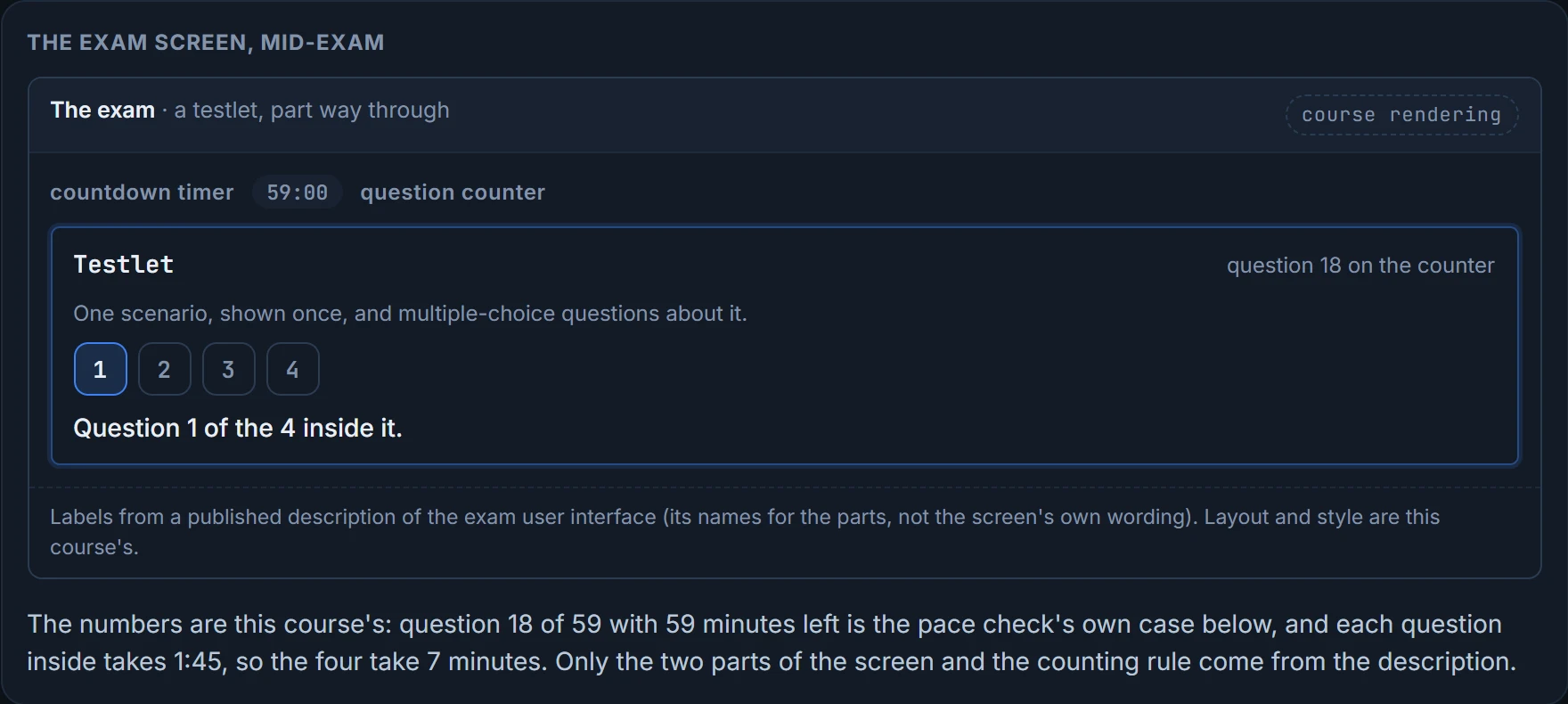
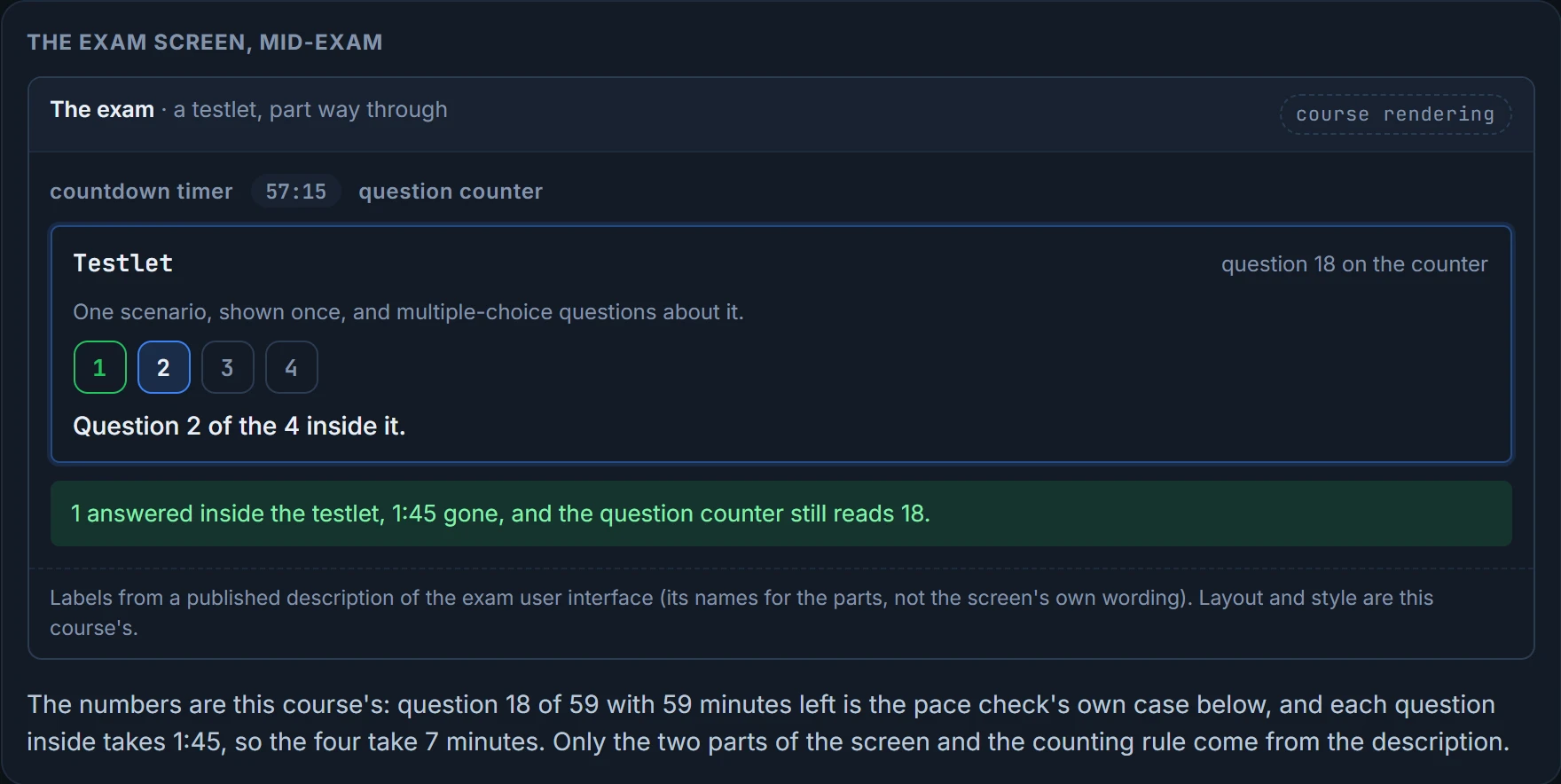
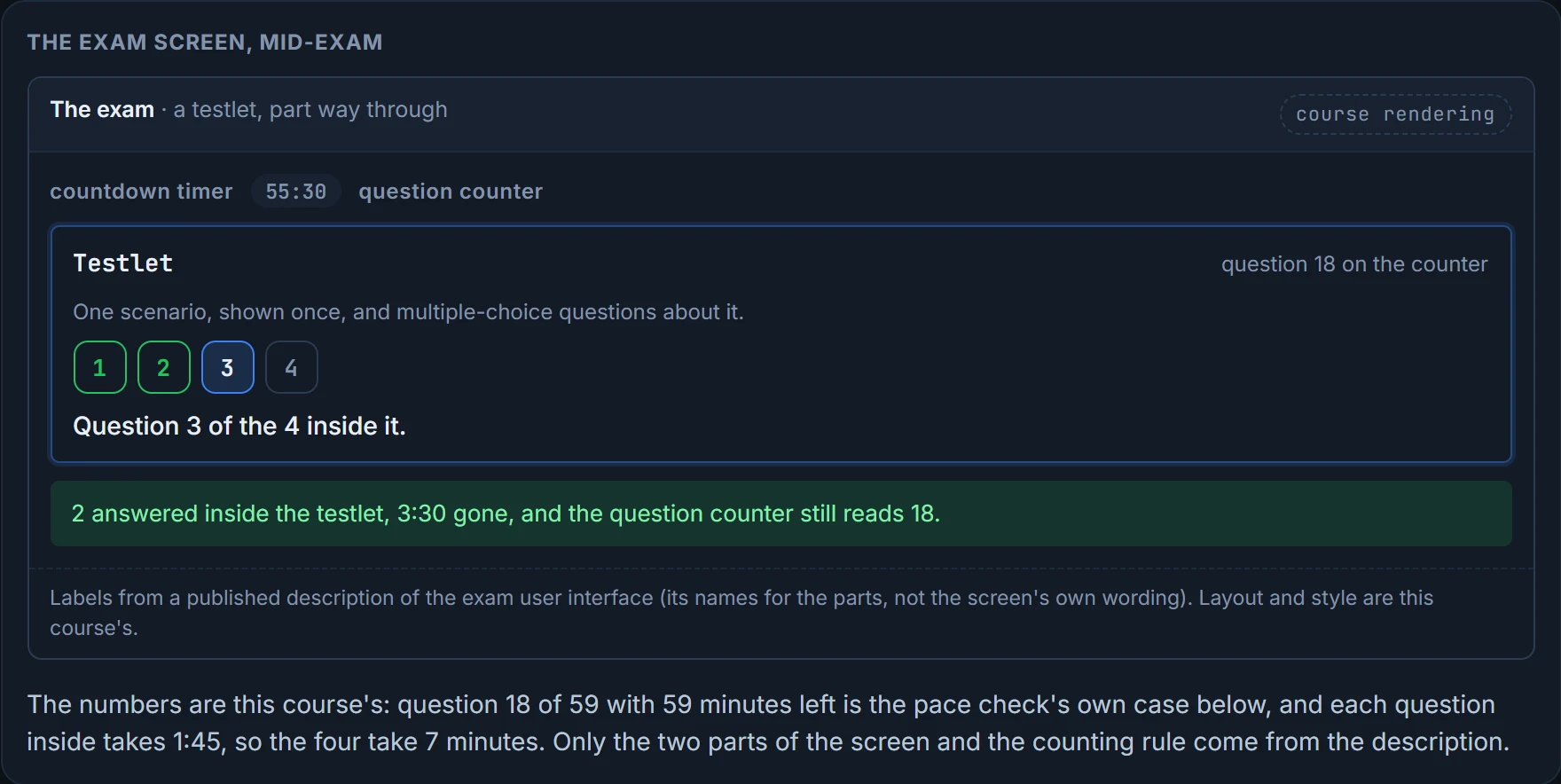
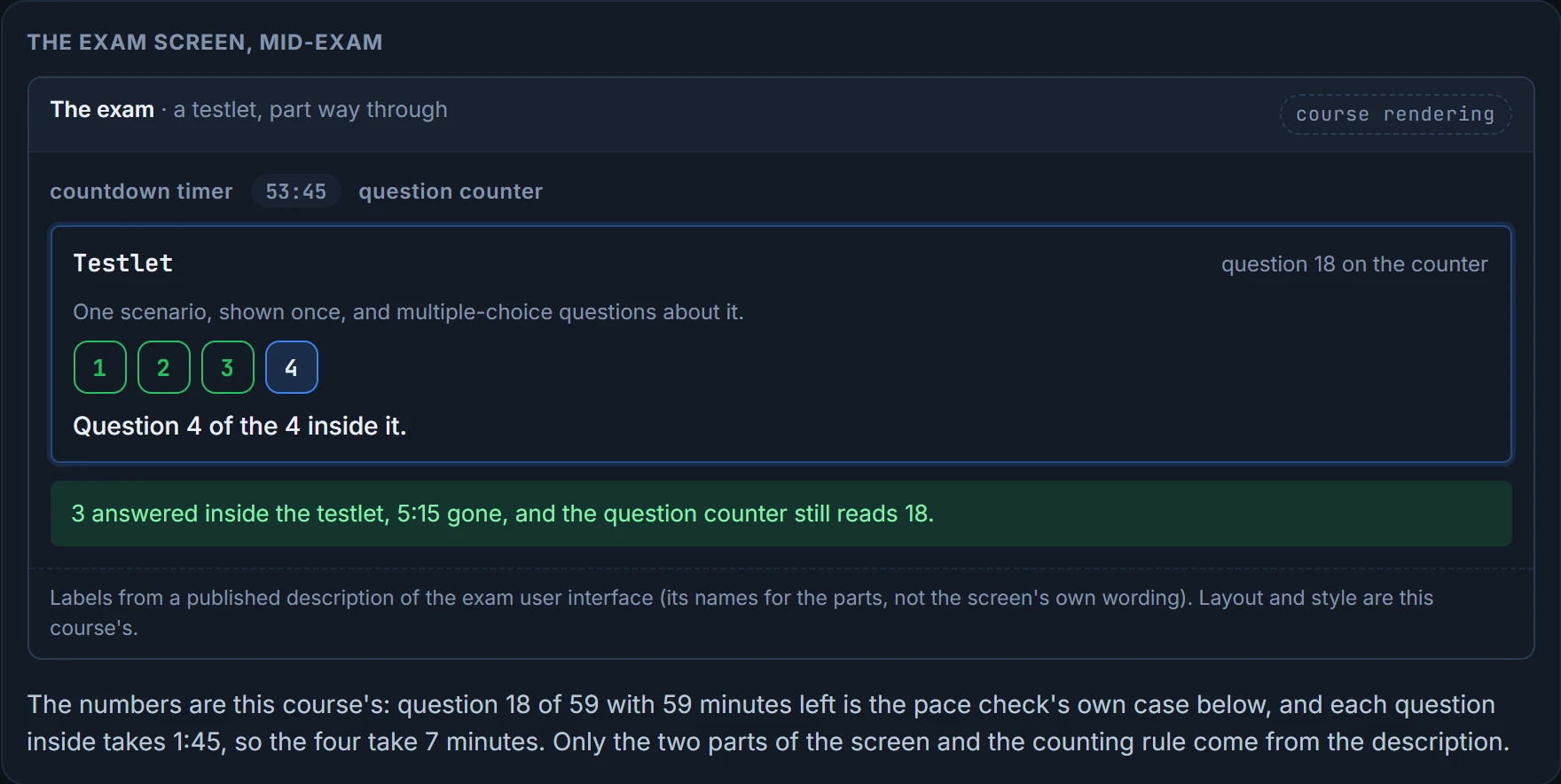
Start with the screen. There's a countdown timer and a question counter, and the counter shows the total number of questions. That total is the first surprise: you find it out only on the screens just before the timed exam starts. Before then you know a range at best. 55 to 65 is the figure you'll see quoted, and Cisco itself publishes no number.
The questions come at two speeds:
- Normal questions, multiple choice and drag and drop, take about a minute each.
- Time burners take about 6 to 8 minutes each. These are sims, the hands-on lab questions, and simlets and testlets, which each hold several multiple-choice questions.
A testlet or simlet counts as one question on the counter, however many questions are inside it. Two people can sit the same exam and see 55 and 65 questions, and nobody official says why. One reasonable guess is that the 55 includes a few more time burners, which would make the two exams about equal. Cisco doesn't say.
Here's the screen doing it. In each picture, watch the two numbers at the top as a testlet goes past.
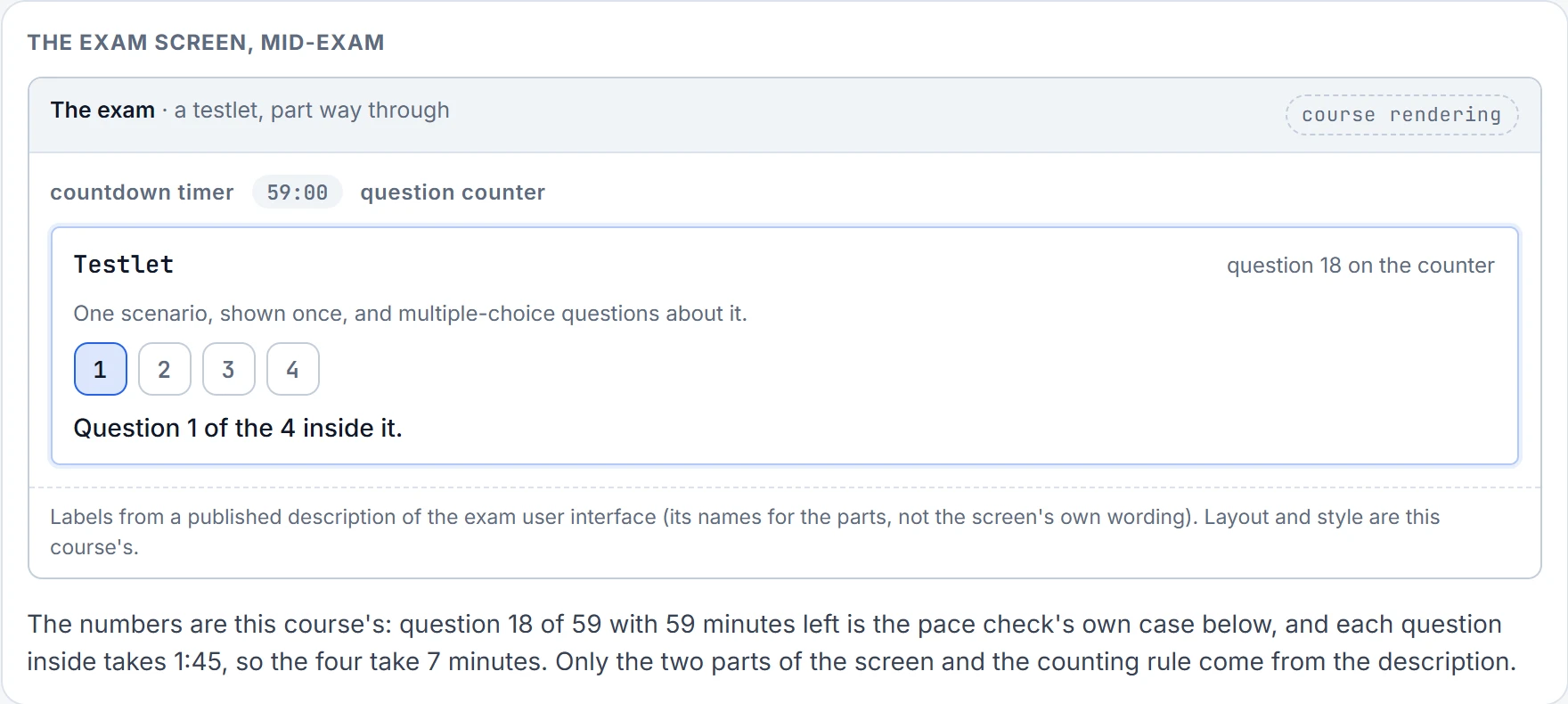
Step 1 of 4
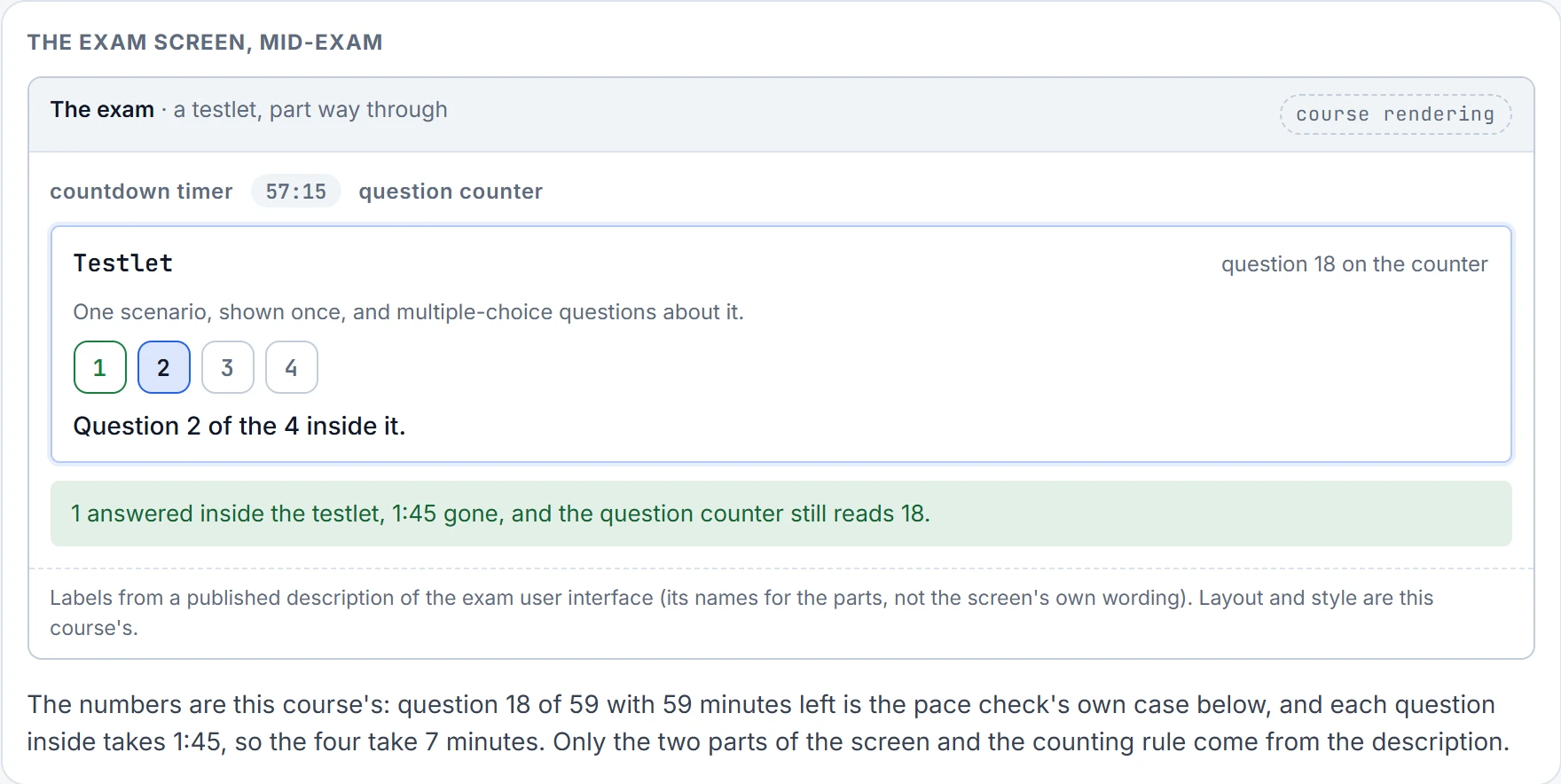
Step 2 of 4
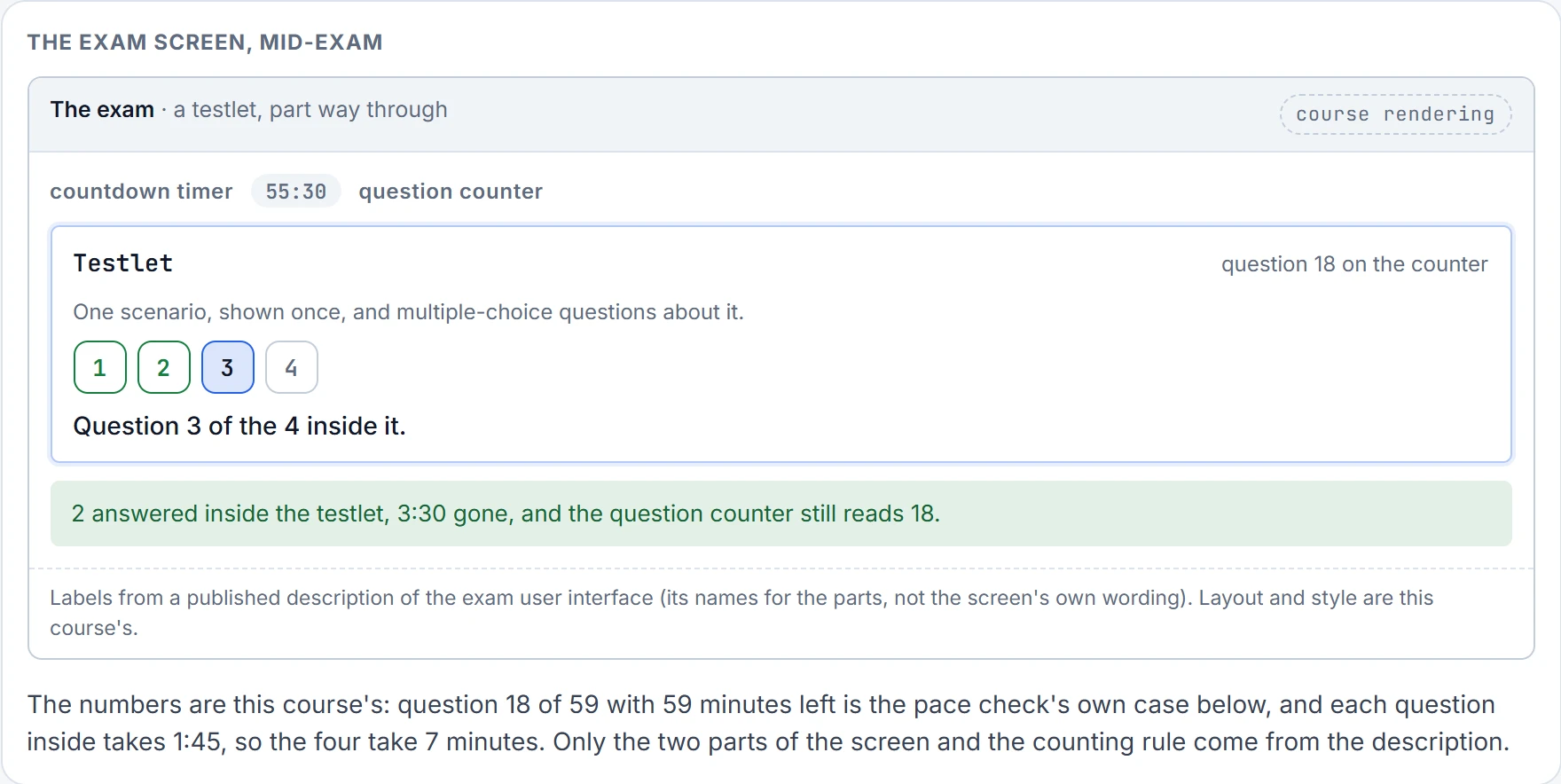
Step 3 of 4
Step 4 of 4
Cisco's exam page lists performance-based (lab) questions alongside multiple choice and drag and drop. People who've passed report the lab questions scattered through the exam, and the clock as the main pressure; one spent about 20 minutes on a single lab question. That's anecdote, but the reports agree with each other. And the exam only moves forward: once you answer a question and move on, you can't go back to it.
Put those side by side. A lab question can take many times a normal question's minute, and it moves the counter by one. People report them scattered through the exam, so you can't plan around where they'll fall. And whatever you rushed to make room for one stays rushed, because there's no going back. So the risk on the day isn't only the hard topic. It's the clock.
A time check you can do in your head
Going too slowly hurts, because you might not have time to answer every question. Going too fast hurts too, if you're rushing and not taking the time to understand each question. So you need a way to check your pace mid-exam, and it mustn't distract you from the exam itself. Here's one that needs nothing but adding whole numbers:
Questions answered so far + 7 for each time burner answered so far = the minutes you should have used.
Then look at the timer. If you've used exactly that much time, or a little more, you're on time. Less, and you're ahead. Considerably more, and you're behind. For example, 17 questions done, 2 of them time burners, is 17 + 7 + 7 = 31 minutes: 31 on the clock is right on schedule, and so, maybe, is 32 or 33.
Look at what the sum does with a time burner. It's already one of the 17 questions, so it gets a minute there, and then 7 more: 8 minutes in all, the top of its 6 to 8. Don't leave the burners out of the question count to "correct" for that. The method is one simple way to do it, not the only one, and you can plan your own as long as it doesn't distract you.
Read the whole question
Screens have trained us all to scan. On a web page almost nobody reads every word: we look for the big words and the pictures, then glance at the space around them. On a computer-based exam that habit costs marks, because you miss key facts in the question, the answers or the exhibit. Teachers who've been asked about it say the same thing, consistently: the number-one test-taking problem is people not reading questions well enough to understand the details.
Here's the usual way it happens. The question asks which statement is not true. You reach a true one first, it feels like the answer, and you take it.
Every exam question seems to have one word in it that changes everything, and it's never in bold.
So choose your way of reading before the practice exams, on purpose. Here's one order that works:
- Read the question, start to finish.
- Scan the exhibit or figure (usually command output).
- Scan the answers for what kind of thing they are: numbers, terms, single words, phrases.
- Read the question again, start to finish.
- Read each answer in turn, against the exhibit. Before moving to the next, select it, rule it out, or mark it "maybe".
Use it on this one:
The exam helps a little. It tells you how many answers to choose and won't let you choose too many; if you try to move on with too few, it asks whether you really mean to. There's no penalty for guessing, and you can't move on without an answer, so when you don't know, don't waste time: make an educated guess and move on.
Then rehearse your reading order on every practice question, especially when you feel the clock, because that's exactly when scanning creeps back.
The habit: symptom, scope, plane, proof, fix, verify
Cisco publishes the exam's topics as a list of objectives, called the blueprint. Of its 25 objectives, 18 start with the word "Troubleshoot". So faults run through the whole course, and every one of them is worked with the same six steps:
- Symptom: what exactly fails, and for whom? ("PC1 can't reach the web server; PC2 can.")
- Scope: one host, one subnet, one protocol, one direction? Compare with something that works.
- Plane: is it the control plane, the routers working out where things are, or the data plane, the packets actually moving? In other words: does the router not know the way, or does it know and forwarding still fails?
- Proof: which command proves the cause, and what does that command not prove?
- Fix: the smallest change that addresses the proven cause.
- Verify: the original symptom is gone, and nothing else broke.
Read step three again. "The router has no route" and "the router has the route and the packets still die" look identical from the user's chair: the ping fails either way. They're fixed in different places, so deciding which one you're in comes before any hunting.
Step four has two halves, and the second is the one that gets dropped. A command that proves one thing is easily read as proving the next, so every output in this course comes with both: what it proves, and where it stops.
Say the habit in four words and it's show first, configure second. It stops what we'd call the most expensive mistake on a troubleshooting question: changing configuration before you've proved anything.
The interactive lesson
The whole lesson, with its drawings and its questions. Free with a Daveth account.