
How to Study CCNA and Learn Networking
Rereading builds recognition, but an exam question needs recall: bringing an idea back and using it with nothing in front of you. So study every idea in four steps: guess, look, say it back, and come back a few days later. The exam's verbs, from describe to configure and verify, tell you how deep each topic goes.
By Arif, founder of Daveth · Updated
The full 9 min walkthrough is in Daveth Pro (Network). See what the plan opens
What this page answers
How should you study for the CCNA?
Put every idea through the same four steps, in order: guess what will happen and write the guess down, look at one small example, say it back in one plain sentence, and come back a few days later to answer it again without looking. Read it in “The study loop”
How do you study networking so it sticks?
Practise recall, not recognition. Reading a page three times makes it feel familiar; a question needs you to bring the idea back and use it, working out what happens next. Read it in “Recognising isn't remembering”
Recognising isn't remembering
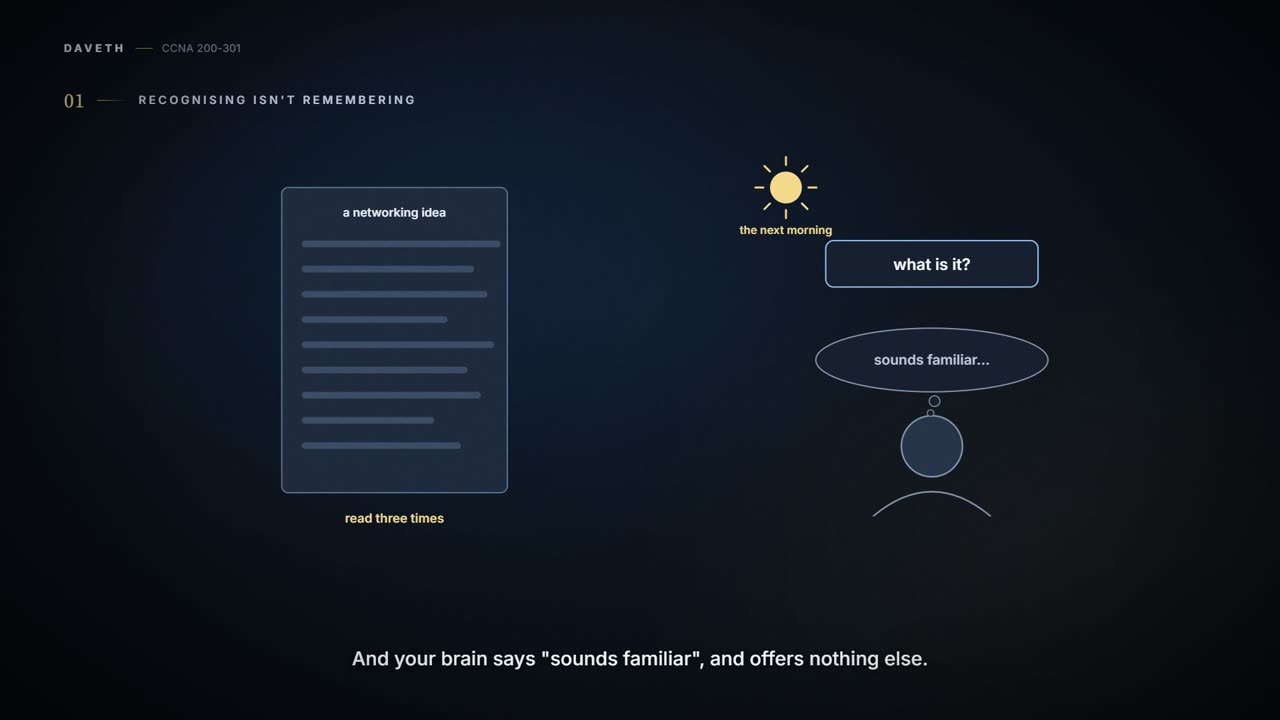
You read a page about some networking idea three times. The next morning somebody asks what it is, and your brain says "sounds familiar" and offers nothing else. That's recognition: knowing you've seen something before. What a question needs is recall: bringing the idea back, and using it, with nothing in front of you.
If you've ever known a face at once and still couldn't put a name to it, you've felt the gap. (Where it stops: a name is one fact. Recalling a network idea means using it, working out what happens next, not just naming it.)
Your brain is a very polite liar when the answer is printed right below the question.
Explaining it with the page closed, or answering a question you haven't seen, is the honest test. Re-reading mostly builds recognition.
And the exam behind this course needs more than recall of facts. The bar is high, but most anyone can study and pass; it just takes more than a quick read. The exam covers a lot of ideas and a lot of commands, and on top of knowing them it asks for skills: you must be able to analyze and predict what really happens in a network, and configure devices (the switches and other boxes a network is built from) so they work correctly. The harder questions work a lot like a jigsaw with four of every five pieces not even in the room. The question hands you a few pieces; you work out the missing ones from knowing each idea and how the ideas fit together. Some pieces may stay unknown, and with enough filled in you can still answer. (Where it stops: a jigsaw piece that isn't in the room is simply gone, while a missing piece of a network question can be worked out from how things behave.) That takes more than reading and memorizing.
The study loop
So this course asks you to do more than read. Every idea goes through the same four steps, in this order:
- 1 Guess predict what will happen, even when you're unsure, and write the guess down
- 2 Look run or read one small example (in the lab, or on the page) and note exactly what you saw
- 3 Say it back explain it in one plain sentence to a friend who doesn't do networking
- 4 Come back a few days later, answer it again without looking
The order matters. A guess made after looking isn't a guess, it's reading with extra steps. A wrong guess is useful: it points at exactly the idea to fix. And the fourth step is the one that tests whether it stuck. Mastering an idea takes several study sessions spread over time, and answering again days later, after the page has faded, is how you find out.
Notebook card
Two computers are plugged into the same switch (a box that connects computers with cables), and they can reach each other. You swap one computer's cable for a new one. Do the computers' network addresses (what other devices use to reach each one) change?
Predict what will happen, even when you're unsure, and write the guess down. Any guess is fine here: a guess is something to test.
No revisit set yet.
Nothing you type here is saved or sent anywhere; it's gone when you close the page. Copy the card into your own notebook.
The page won't tell you the answer, on purpose. The evidence comes from the lab in 00.2, where you can swap the cable yourself and look. Until then, the card waits in your notebook with its guess and a revisit date.
Every page after this one runs the same way. Each idea is explained step by step, often with a figure, and followed by a question to try: make a real choice before you open the answer. Where a lab helps, the evidence comes from your own lab. Three or four checks come at the end. Everyday comparisons come with a note saying where they stop, like the jigsaw's above, because a comparison helps until it doesn't, and then the real mechanism wins. Skip one when it stops helping. The jokes are there to help things stick; nothing technical rests on a joke.
What the exam's verbs ask for
Each main exam topic names a technology and a verb, and the verb tells you how deep to go. (The rest of the official list only names more technologies to know.) "Describe" something means being able to say what it is and what it's for; it doesn't ask you to set it up. "Configure and verify" means setting it up and understanding it well enough to check that it works. The configuration is the settings you give a device, usually by typing commands. The verbs run in a rough order, from least to most:
| Verb | One action |
|---|---|
| Describe | say in your own words what the switch is for |
| Identify | point to which cable goes to which computer |
| Explain | say why the two computers can reach each other |
| Compare and contrast | say how two ways of connecting them differ, and how they're alike |
| Configure | give the switch a name |
| Verify | show the name really took effect, by looking, not by assuming |
| Troubleshoot | find out why the two computers stopped reaching each other after a change |
A verb brings the conceptual ones before it. A "compare and contrast" topic expects you to describe, identify and explain as well. A "configure and verify" topic expects you to describe, explain and compare too: typing commands with no clue what they did doesn't count.
A command memorised without its job is a screwdriver held by the wrong end.
Explaining it, and showing it works. Notice that verify comes after configure: once something is set up, you look at what the device now does and reports, instead of assuming the typing worked. Someone who can type a command but can't predict what the device will show afterwards has a gap. So does someone who can define a term but can't find why something broke.
The official topic list comes with some small print worth reading: the topics are general guidelines, they don't list every command or detail, they may change over time, and the exam may include other related topics. So check the current list yourself before planning around it, rather than trusting an old copy or numbers someone quoted years ago. A related question may turn up on one sitting of the exam and not another, and it tends to stay close to a listed topic rather than wander far. That's why the way to prepare is to master each topic in breadth and depth, not to learn the core and skip the edges. And when you practise setting something up, go a little further: look at more of what the device can show you and more of its settings, and understand as much of it as you can.
Questions have come in several shapes: multiple choice with one right answer or several, a testlet (one scenario with several multiple-choice questions), drag-and-drop, and two that put you at simulated devices. The first four will feel familiar from school; the last two are more particular to IT exams. In a sim you fix a problem in the configuration, which tests configuring. A simlet mixes a sim with a testlet: you can look at the devices, but instead of changing anything you answer several multiple-choice questions about the network's current state, which tests verifying and troubleshooting. Some questions may not even count toward your score (they're how new questions get tried out), and you won't be told which. Formats can change too, so read the current exam's own description before you sign up, and get to know how its screens work before the day.
The interactive lesson
The whole lesson, with its drawings and its questions. Free with a Daveth account.